Optimise every step of your workflow with Process Flow & Value Stream Mapping dashboards
Create, modify, and optimise process flows digitally with real-time collaboration and smart value stream mapping.
Streamline operations with Process Flow & Value Stream Mapping system
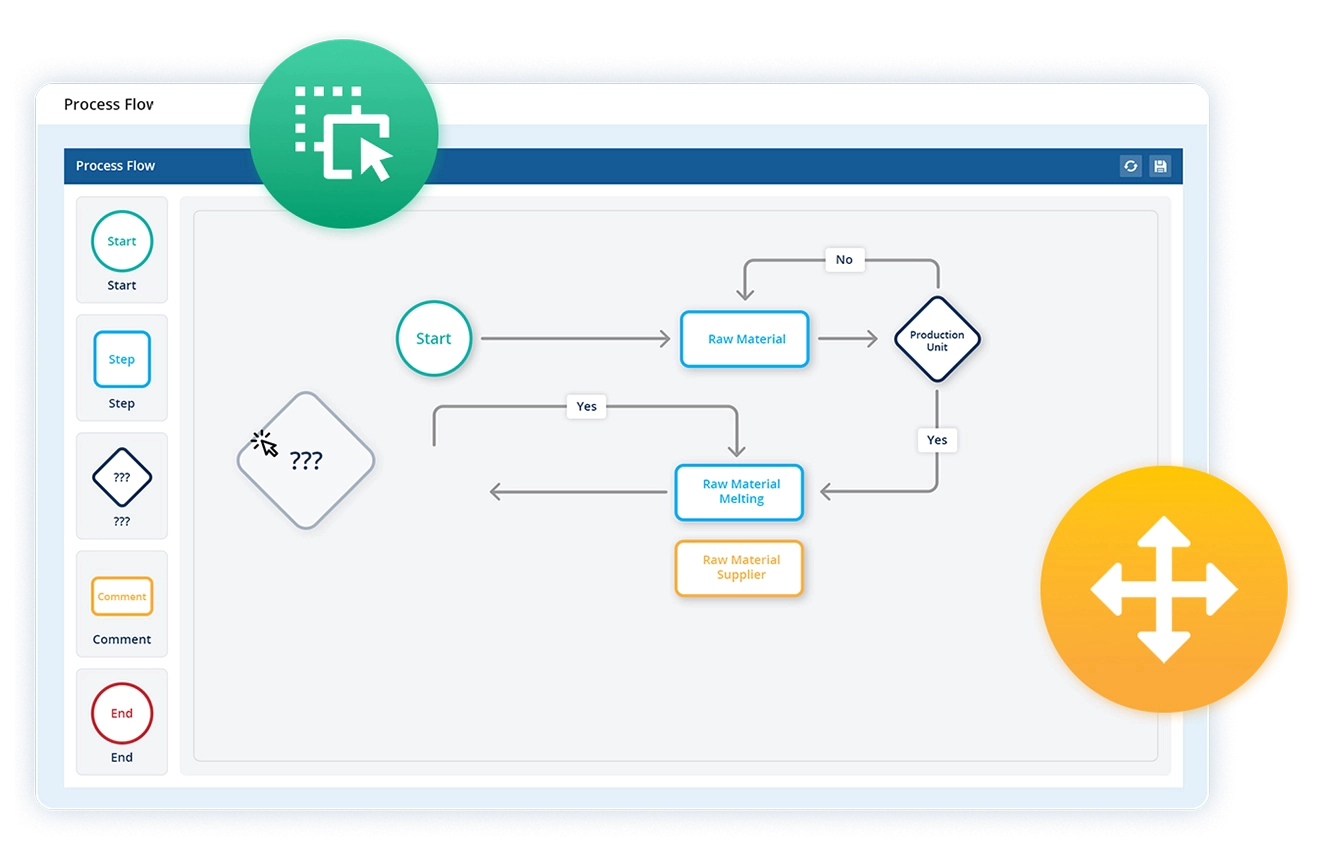
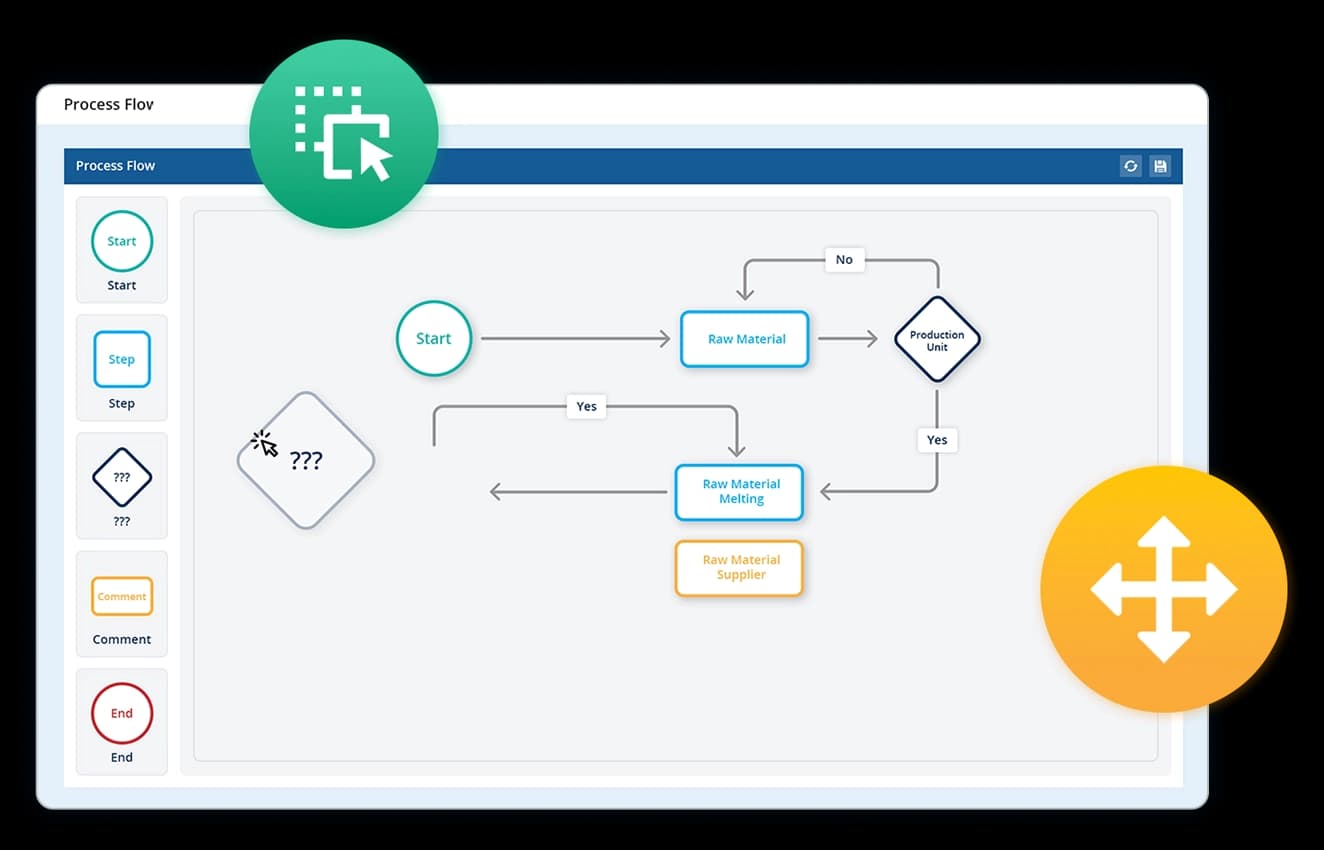
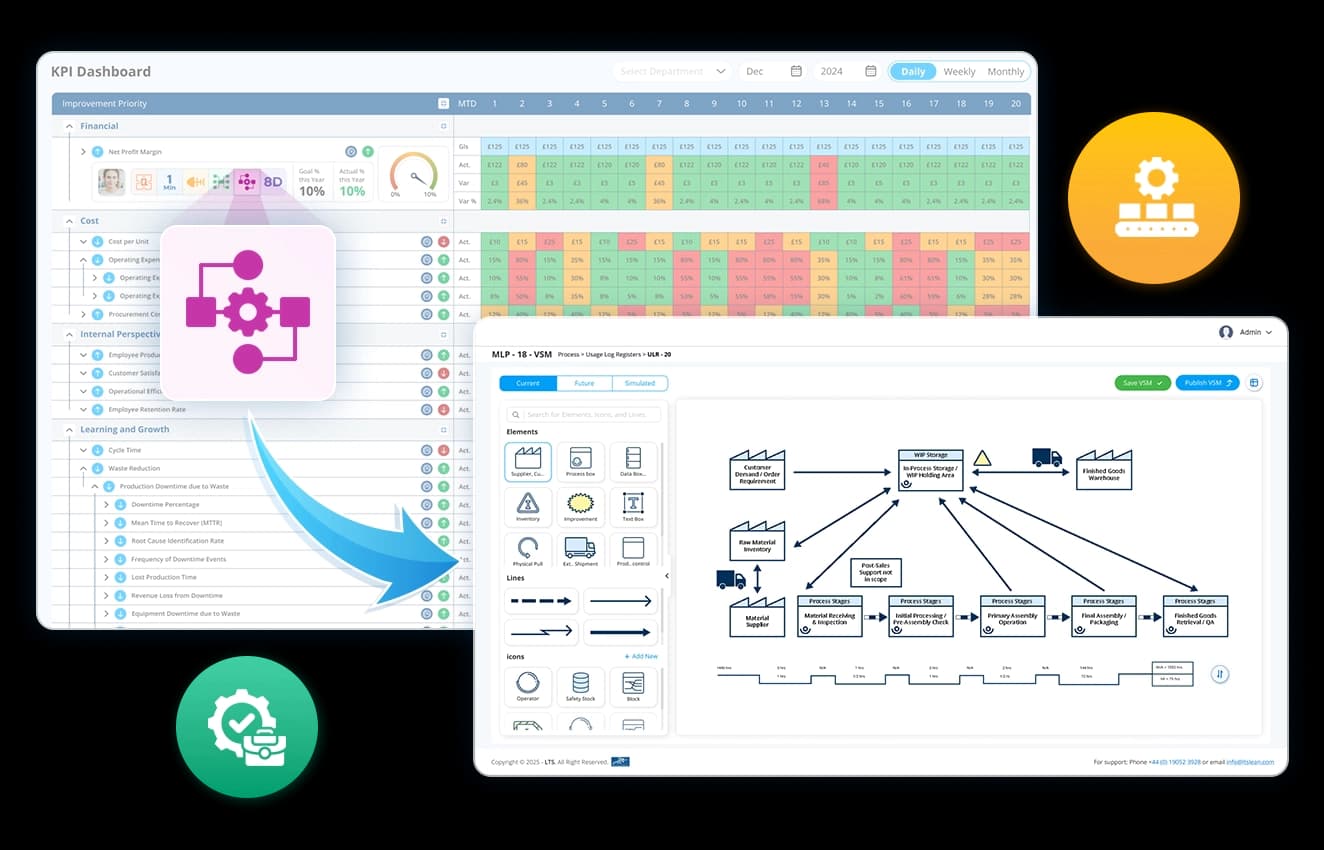
Quickly build process flows with an easy-to-use visual workspace.
- Drag and drop shapes to map workflows effortlessly.
- Link steps dynamically to show process relationships.
- Make instant adjustments without complex configurations.
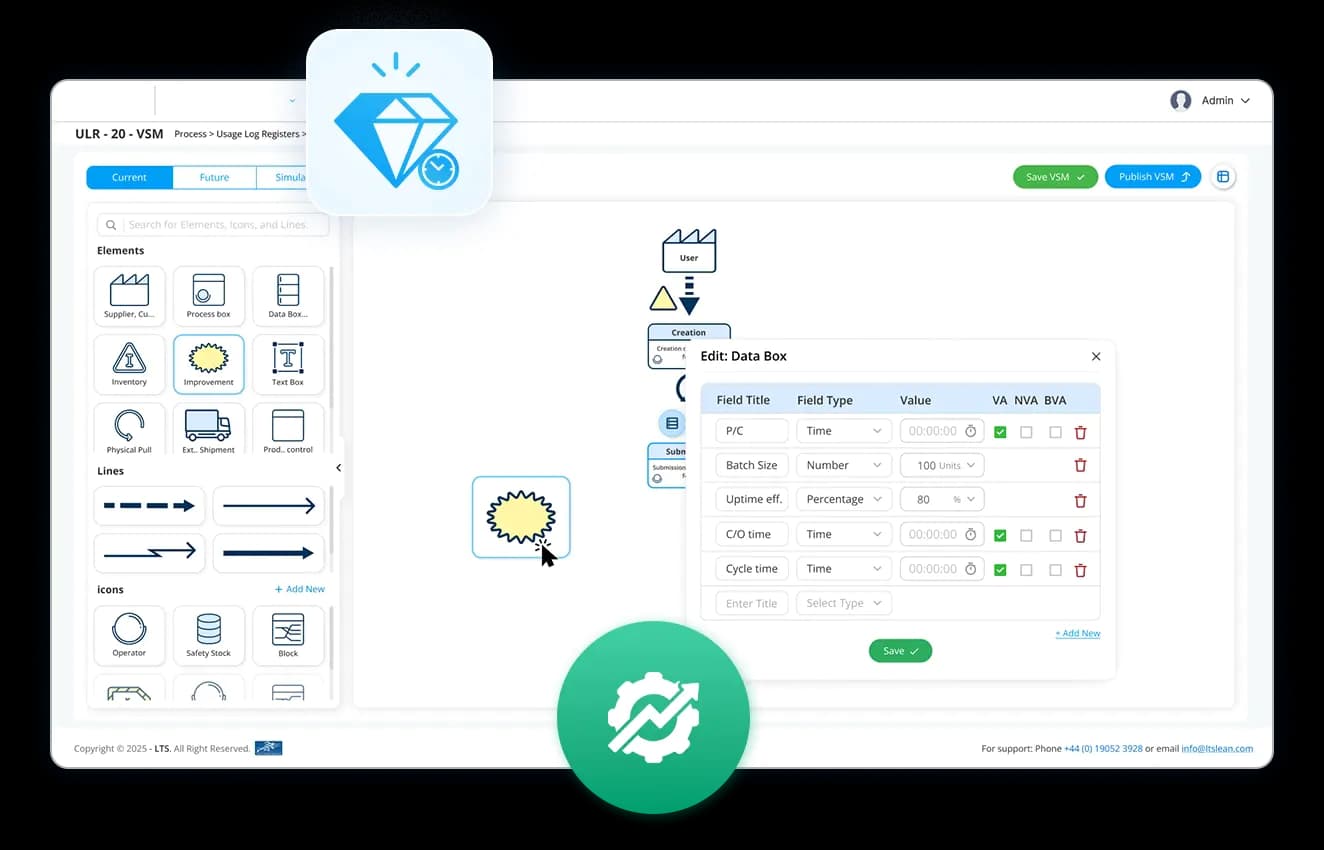
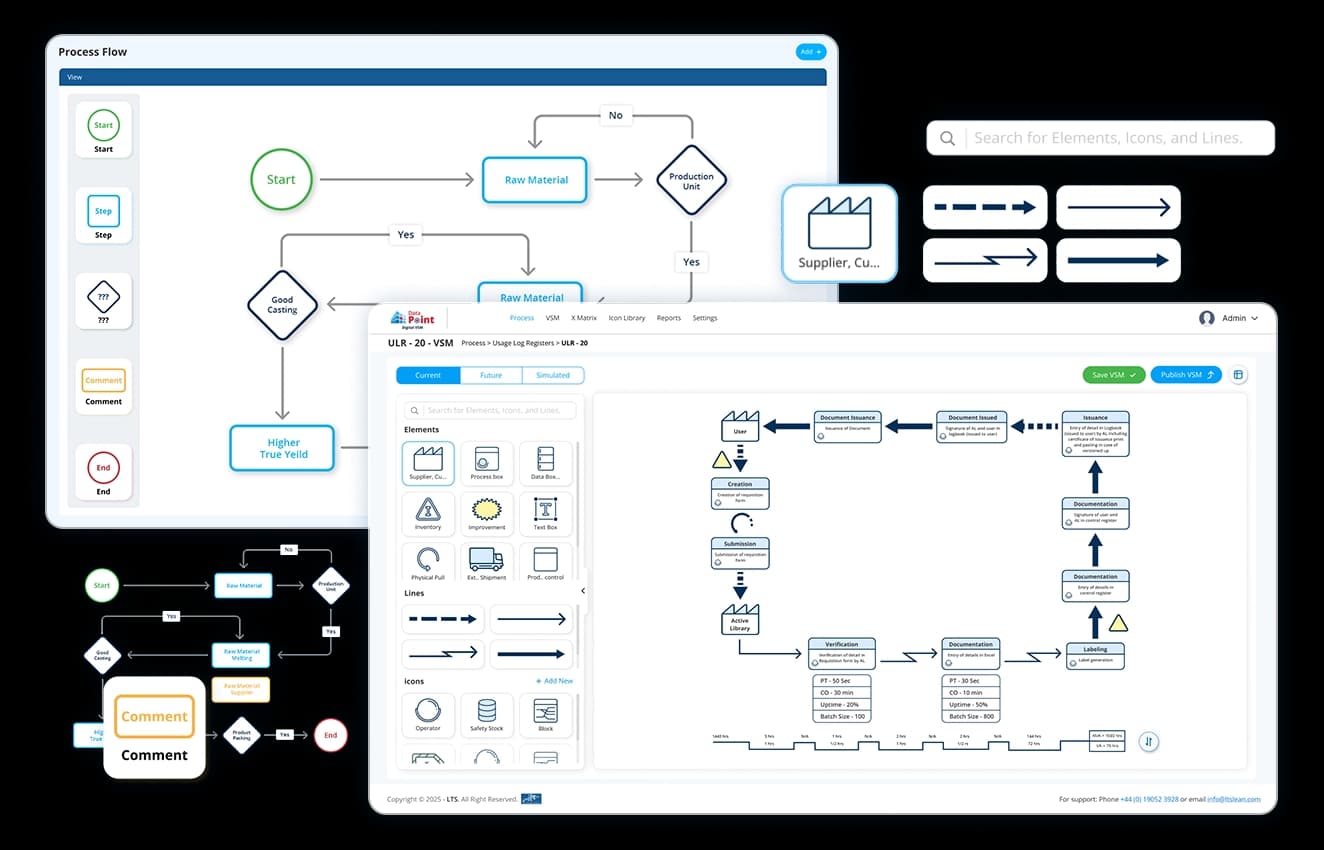
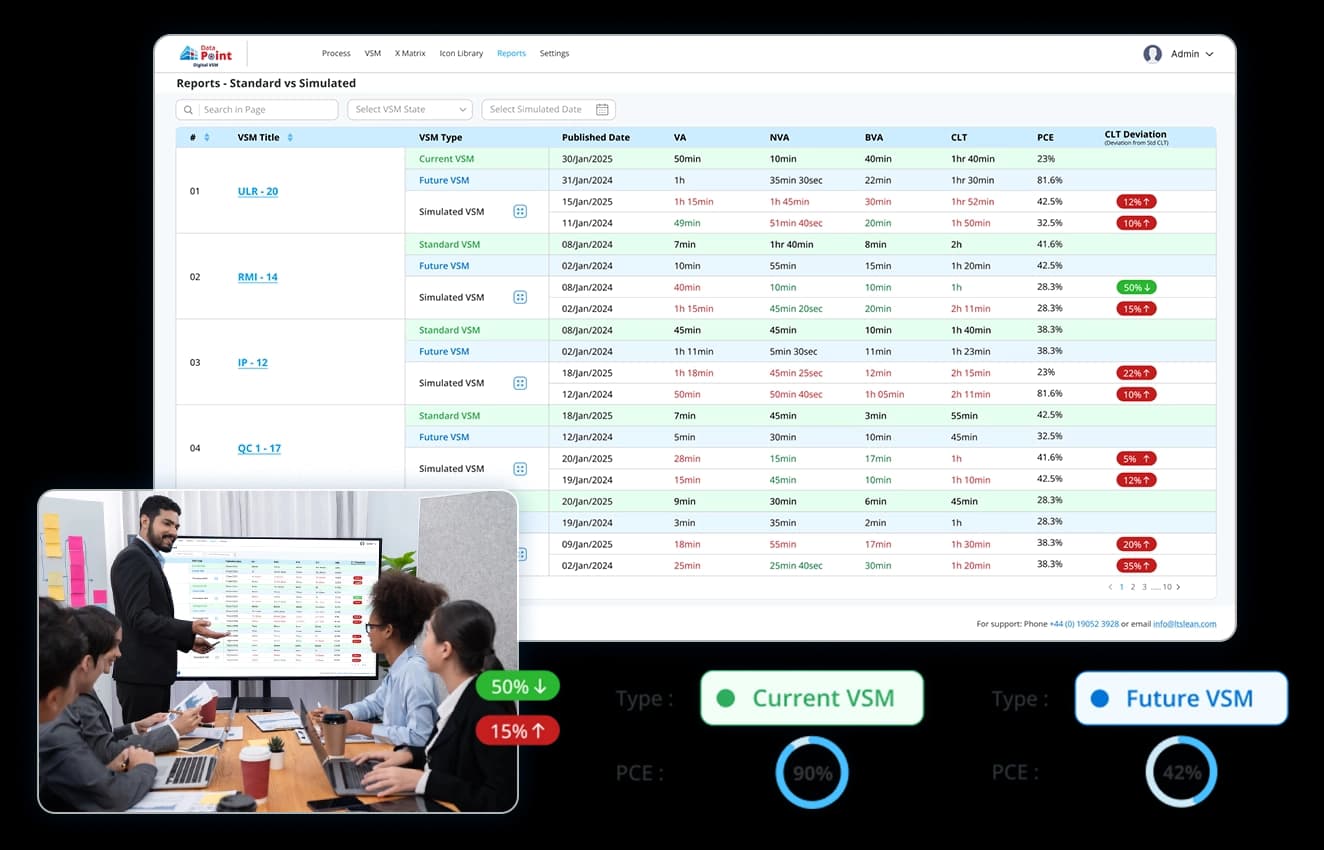
Gain clear visibility into process efficiency and waste reduction.
- Map each step to distinguish value-added activities.
- Spot inefficiencies, bottlenecks, and unnecessary delays.
- Optimise workflows by eliminating waste and improving quality.
Streamline workflows & eliminate waste with Data Point’s VSM
Ensure workflows stay updated and optimised with live insights.
- Collaborate seamlessly on process maps in real time.
- Track changes instantly and maintain version control.
- Refine steps dynamically for continuous process improvement.
Design workflows that fit your unique operational needs.
- Adapt to simple or complex processes effortlessly.
- Tailor workflows for manufacturing, business, or service operations.
- Scale and modify process maps as your organisation evolves.
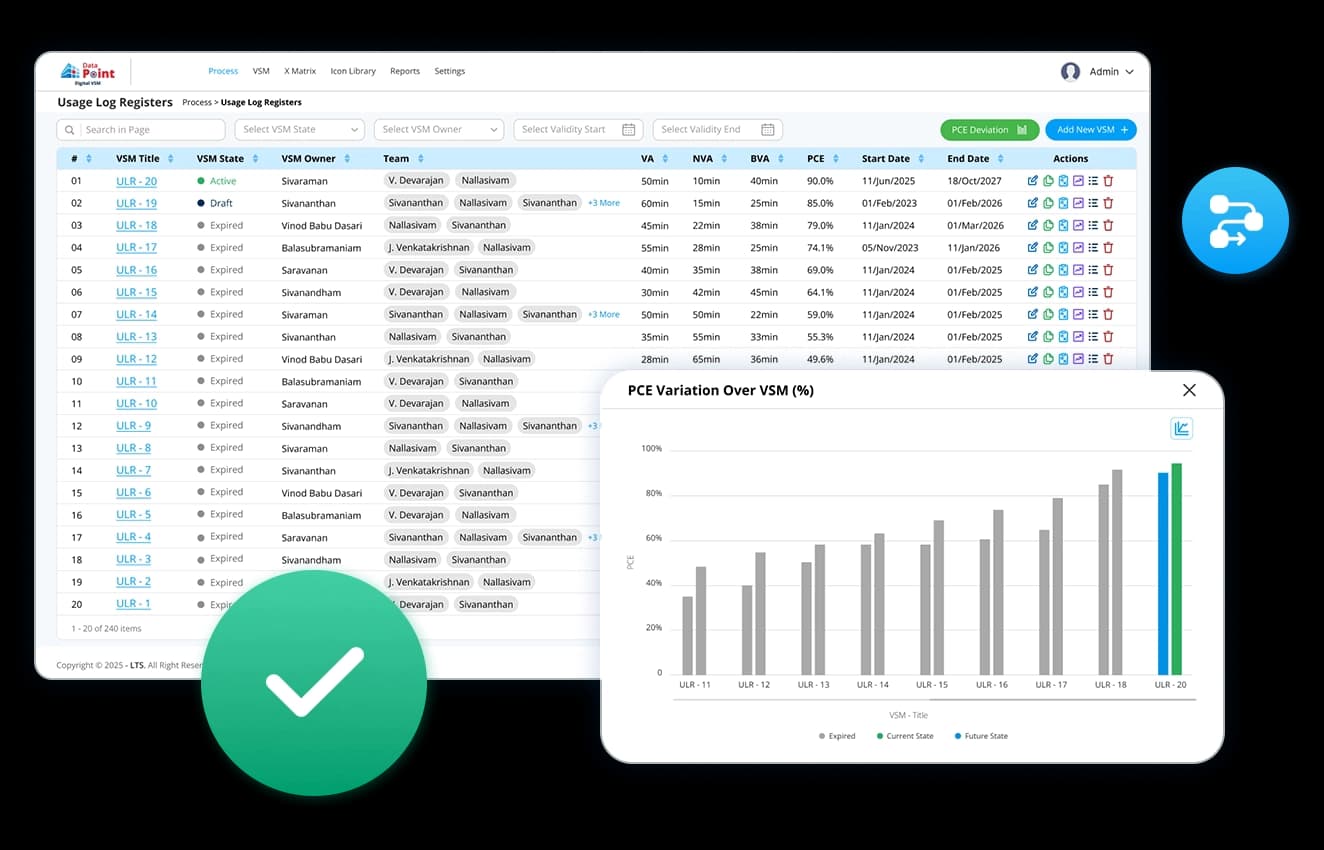
Get up-to-date record of process with ease.
- Maintain a complete history of process modifications.
- Ensure compliance with documented changes and approvals.
- Instantly access and revert to previous versions when needed.
Design efficient workflows today with advanced Data Point Process Flow and VSM Tool
Choice of industry leaders and Fortune 500 companies

















How does Data Point’s Process Flow & Value Stream Mapping dashboard improve efficiency?
Our solution organise all your project information in one place. It eliminates manual effort, enhances clarity, and accelerates process optimisation.

Reduce complexity
Replace spreadsheet-based mapping with intuitive visuals.

Enhance decision-making
Spot delays in material flow and drive improvements.

Standardise processes across teams
Ensure consistency across departments by aligning with business objectives.
Discover how Data Point helps you design, refine, and improve workflows with smart process mapping.
Process Flow & Value Stream Mapping Software: The Complete Guide to Workflow Optimisation and Process Visibility
Learn how Process Flow and Value Stream Mapping software helps teams visualise workflows, identify bottlenecks, manage deviations, support compliance, improve collaboration, and drive continuous process improvement.
What is the difference between a process flow diagram and a value stream map, and when should you use each?
A process flow diagram and a value stream map answer different question. A process flow shows the sequence of steps in a process and how they connect. It is the right tool when you need to document how work moves through a system, clarify decision points, or identify where handoffs occur. It works at the level of individual processes or workflows.
A value stream map zooms out. It covers the full journey of a product or service from request or delivery, including the flow of information alongside the flow of material. It surfaces waste across the entire value stream rather than within a single process. The two tools are complementary. A process flow is often the starting point for understanding a specific detail. A value stream map is the tool for understanding where that step sits in the bigger picture and what it is costing the overall flow.
How does real-time collaboration on a process map change how cross-functional teams work together?
Most process documentation is produced by one person or one team and then reviewed by others. The people closest to the process contribute their knowledge through interviews or workshops, and someone else translates it into a diagram. What gets lost in that translation is the nuance, the exceptions, and the informal workarounds that the map never captures.
Real-time collaboration means the people who run the process can contribute directly to the map as it is built:
- A production operator can add detail to a step that a process engineer would not know to include
- A quality manager and a maintenance manager can work on different sections simultaneously
- Changes made by one contributor are visible to everyone else instantly, without a review cycle that delays the conversation
The result is a process map that reflects how the process actually runs, not how one function believes it runs.
How does a flexible process routing capability support operations with rework and non-linear workflows?
Standard process flow tools assume a linear sequence. Step one, step two, step three. Most manufacturing processes are not fully linear. A batch that fails a quality check at step four does not proceed to step five. It goes back to an earlier stage for rework. A process map that cannot represent that loop is not an accurate picture of how the process runs.
Flexible process routing allows steps to be revisited and rerouted without losing the history of what happened before. A rework loop is mapped as part of the process, not as an exception that falls outside the diagram. For operations managing complex routing across multiple stages, like batch processing with quality gates, this means the process map remains an accurate working tool rather than an idealised version of how things are supposed to flow.
How does process flow documentation connect to escalation and deviation management?
A process flow is not just a reference document. In daily operations, it is the baseline against which deviations are measured. When a step is skipped, a sequence is changed, or a workaround is introduced, the deviation only becomes visible if there is a documented standard to compare it against.
Connecting process flow documentation to escalation workflows means that when a step in the process triggers a deviation, the response is structured rather than ad hoc:
- The process map shows what the standard requires
- The deviation is flagged against the specific step where it occurred
- Escalation follows a defined path rather than relying on whoever happens to be available
For multi-site operations managing KPI performance across locations, this connection between documented process and deviation response is what makes escalation data meaningful. An escalation without a process reference is an alert. An escalation with a process reference is an actionable signal.
How does spotting bottlenecks in a process flow differ from identifying them through KPI data alone?
A KPI that is underperforming tells you something is wrong. It does not tell you where in the process the problem originates. A delivery metric in the red could be caused by a delay at any one of ten steps. Investigating from the KPI backwards without a process map means the team is searching without a reference point.
A process flow makes the investigation directional. When each step is mapped and linked, a bottleneck is visible as a structural feature of the process rather than a symptom to be chased through data. The step where work accumulates, where handoffs slow down, or where decisions stall is identifiable before the KPI dashboard registers the downstream impact. That earlier visibility is what shortens the gap between a problem developing and a team acting on it.
How does a process flow map support compliance documentation and approval control?
Documenting a process and controlling who can change it are two different things. In regulated environments, an undocumented change to a process is not just an operational risk. It is a compliance exposure. If a step is modified without formal approval and a quality failure follows, the audit trail needs to show what the process standard was at the time of the failure and whether any change was authorised.
Maintaining a complete history of process modifications with documented changes and approvals means:
- Every change is traceable to when it was made and by whom
- Unauthorised modifications are visible because they either appear in the history or they do not, and the absence is itself a flag
- Previous approved versions are accessible immediately if a process needs to revert following an incident or a failed change
For industries where process documentation is subject to regulatory audit, this removes the risk of a gap between the documented process and the actual process going undetected until an audit surfaces it.
How does a digital process flow support multi-site operations with varying levels of process maturity?
Two plants in the same organisation running the same process rarely run it in exactly the same way. One site has automated several steps. Another is still on manual data entry. A third has introduced workarounds that have become the de facto standard. A single process map that assumes uniformity across sites is not accurate for any of them.
A customisable and scalable process flow tool means each site can maintain a process map that reflects its actual current state, while the structure remains consistent enough for cross-site comparison. For organisations in the early stages of standardising processes across multiple locations, having a documented baseline at each site is the prerequisite for understanding where the gaps are and what good looks like before any standardisation programme begins.
How does process flow documentation contribute to onboarding and knowledge transfer?
When an experienced operator or process engineer leaves, the knowledge of how a process actually runs often leaves with them. The formal documentation covers the approved sequence. It rarely covers the judgment calls, the informal adjustments, and the reasons behind steps that are not obvious from the diagram alone.
A process map built collaboratively, with version history showing how it has evolved over time, is a more complete knowledge transfer tool than a static document. A new team member can see the current state of the process, understand the steps that have changed and why, and identify the points where the process has historically required intervention. The onboarding conversation starts from a documented baseline rather than from a verbal handover that compresses years of operational knowledge into a single session.
Hear it from our customers

MARC ROBINSON
Director, Global Operational Excellence

“By providing a central location to input, analyse and share our KPIs, 'Data Point' enables site management to more easily focus on the entire business as a team. Its ability to allow automated data entry and trend analysis gives us more time for improvement rather than just reporting numbers. Combined with a disciplined approach within our SQDC meeting process, I believe 'Data Point' will help us continually focus on key issues and drive business excellence in all areas.”
Transform your Operations with Value Stream Mapping
Discover how Data Point’s VSM and process flow tools can simplify complexity, enhance collaboration, and drive continuous improvement.