Shift Management Software: Bringing Structure, Visibility, and Control to Daily Operations
Last updated on : February 16, 2026
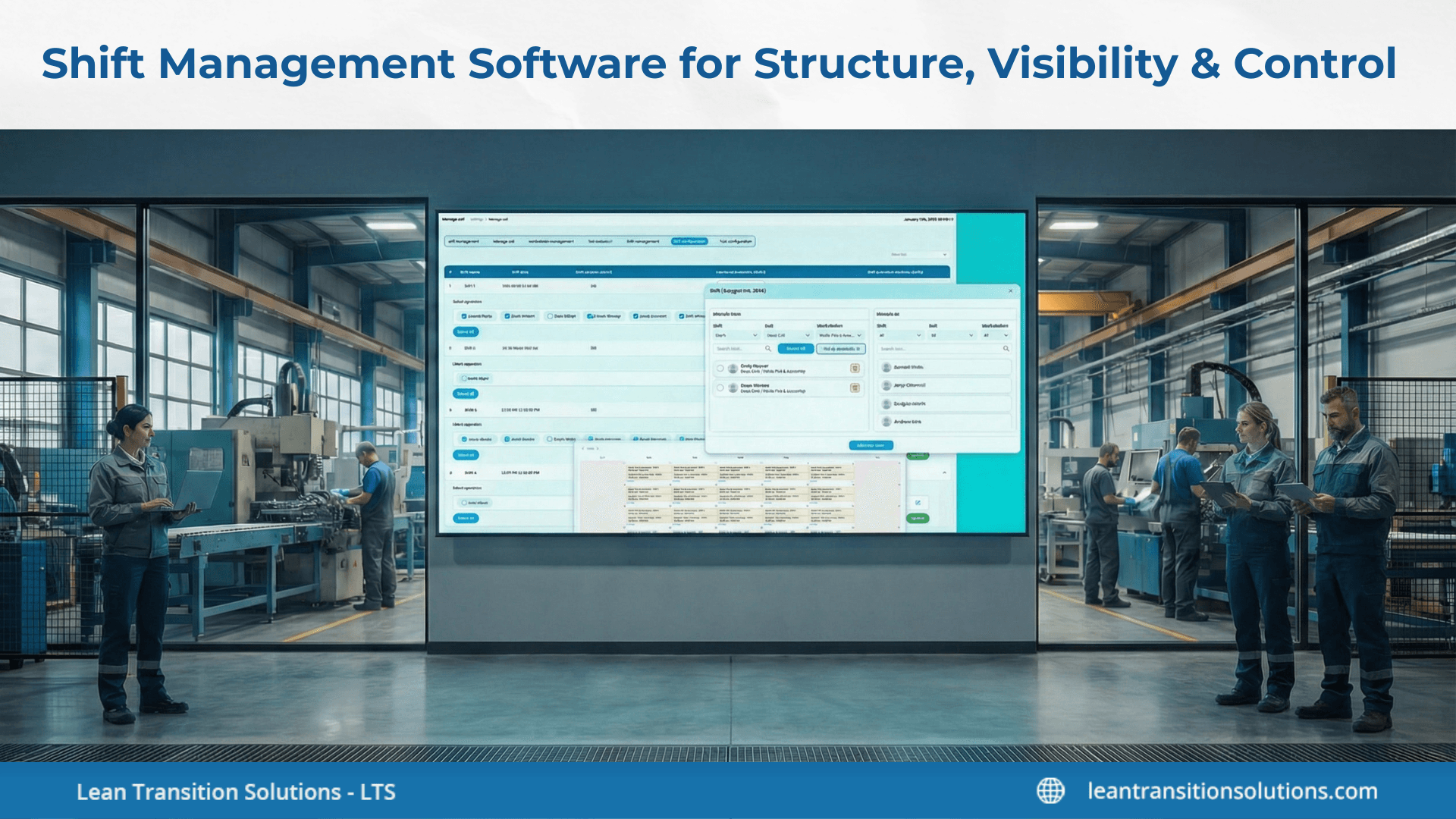
Daily operations run on shifts – but without structure, visibility, and control, even well-planned schedules quickly turn into reactive firefighting. Missed handovers, unclear responsibilities, overtime overruns, and disconnected data make it difficult for leaders to know what’s really happening on the ground. This is where shift management software moves beyond basic scheduling.
By bringing consistency to how shifts are planned, tracked, and reviewed, it transforms daily workforce activity into a controlled, transparent operational system that supports accountability, performance, and smarter decision-making. In this blog, we’ll explore how shift management software brings structure to employee scheduling, how it delivers live visibility across shifts and workforce activity, how it replaces manual planning with automated scheduling, how it aligns staff management, time tracking, and performance, how different organisations benefit from shift management software, why enterprise operations need more than basic shift management software, and how shift management software supports structured operations with LTS Data Point.
See how LTS Data Point shift management software brings structure and visibility to daily operations
How shift management software brings structure to employee scheduling
As industries grow, manual staff scheduling methods – spreadsheets, emails, or static scheduling – struggle to keep up with real operational demands. This is where shift management software brings structure by turning employee scheduling into a controlled, repeatable process rather than a daily workaround.
1. Why manual staff scheduling breaks down at scale
- Schedules are built in isolation, without visibility into availability or workload
- Last-minute changes create confusion across teams
- High risk of overlapping shifts or uncovered time slots
- No single source of truth for staff scheduling decisions
2. How structured shift scheduling creates consistency across teams
- Employee scheduling software standardises how shifts are created and assigned
- Staff scheduling software makes sure the same rules apply across locations and teams
- Clear shift ownership improves accountability and handovers
- Shift planning becomes predictable, not reactive
3. Standardising schedules without losing flexibility
- Shift planning software supports predefined shift templates with room for adjustments
- Managers can adapt schedules to demand changes without breaking structure
- Flexibility is built into the system, not handled through ad hoc fixes
- Teams gain clarity while operations retain control
4. Preventing overlap, understaffing, and last-minute changes
- Shift scheduling rules prevent duplicate or conflicting assignments
- Staffing gaps are detected early, not during execution
- Reduced reliance on emergency changes and overtime
- More stable schedules lead to better workforce confidence and performance
How shift management software delivers live visibility across shifts and workforce activity
Creating schedules is only the first step. Without real-time visibility, leaders are left reacting to problems after they’ve already impacted operations. Shift management software closes this gap by making workforce activity visible as it occurs – not after the shift ends.
1. Why visibility matters more than just creating schedules
- Planned shifts often differ from what actually gets executed
- Static schedules don’t mirror absences, overruns, or redeployments
- Employee shift management needs live insight, not assumptions
- Visibility turns workforce planning into operational control
2. Live understanding of who is working, where, and on what
- Work shift management software indicates active shifts across teams and locations
- Managers can see attendance status without manual follow-ups
- Clear view of task or role coverage per shift
- Faster response to gaps, overloads, or unexpected changes
3. Linking shift data to daily operational realities
- Shift information reflects real working conditions, not just plans
- Shift management tools link attendance with actual execution
- Workforce data aligns with production, service, or delivery activity
- Decisions are based on what’s happening now, not yesterday’s reports
4. Reducing blind spots in workforce execution
- Employee tracking systems eliminate reliance on verbal updates
- Missed shifts or coverage gaps surface immediately
- Fewer surprises during handovers or shift transitions
- Leaders gain confidence in workforce visibility across operations without always relying on operations meetings
Discuss your shift management challenges with an LTS Data Point specialist
How shift management software replaces manual planning with automated scheduling
Manual plans may work in small teams, but as operations scale, they become a source of delays, errors, and constant rework. Shift management software removes this friction by automating staff scheduling while keeping operational control firmly in place.
1. Limitations of spreadsheets and static planning
- Updates depend on manual edits and repeated version sharing
- No real-time view of availability or shift changes
- High risk of missed updates and conflicting schedules
- Shift scheduling becomes reactive instead of planned
2. How automation minimises planning time and errors
- Automated staff scheduling software applies consistent rules across shifts
- Faster schedule creation without repetitive manual effort
- Fewer errors caused by copy-paste or outdated records
- Managers spend less time fixing schedules and more time managing operations
3. Balancing automation with operational control
- Shift software supports automation without eliminating human oversight
- Managers can adjust schedules when operational realities change
- Automation enforces structure while enabling informed decisions
- Control remains with operations, not just the system
4. Enabling faster response to demand changes
- Scheduled updates can be made and communicated instantly
- Teams adapt quickly to workload spikes or staff shortages
- Lowered dependence on last-minute calls and emergency changes
- Operations remain stable even as demand fluctuates
Experience how LTS Data Point helps teams plan, track, and control shifts with clarity
How shift management software aligns staff management, time tracking, and performance
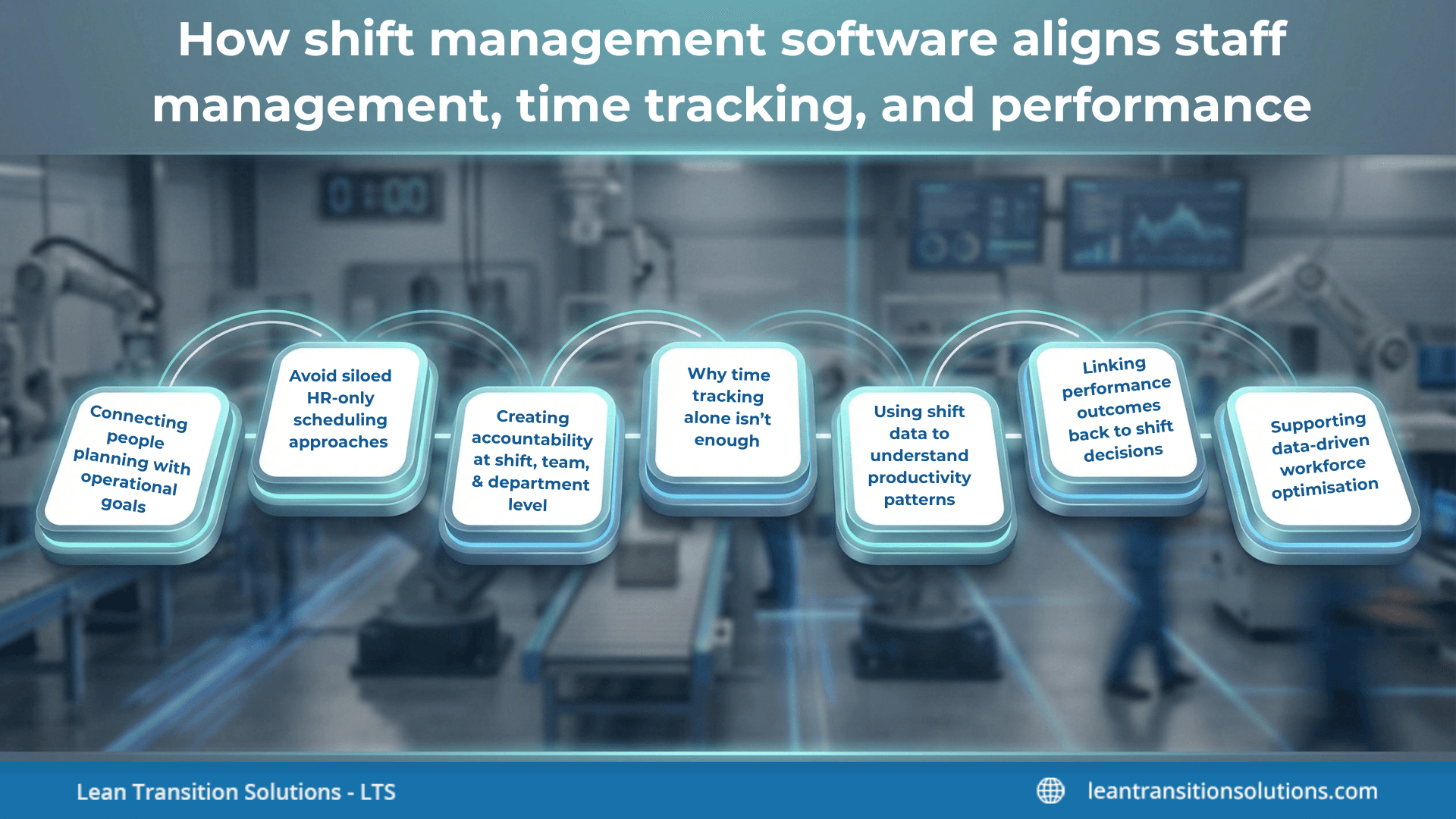
Workforce planning delivers real value only when it’s bound to daily execution. Shift management software brings staff management, time tracking, and performance data into one operational view – so workforce decisions support outcomes, not just administration.
1. Connecting people planning with operational goals
- Staff management software links shift assignments directly to operational needs
- Workforce planning indicates production, service, or delivery priorities
- Staffing decisions are made with execution outcomes in mind
- Shifts support goals instead of existing in isolation
2. Avoid siloed HR-only scheduling approaches
- Employee management software moves scheduling beyond HR administration
- Operations teams gain ownership of workforce execution
- Lowered disconnect between planned schedules and real work
- Workforce planning becomes an operational responsibility
3. Creating accountability at shift, team, and department level
- Clear ownership defined for each shift and role
- Responsibility flows from individual contributors to teams and departments
- Better handovers and fewer execution gaps
- Accountability becomes visible, not assumed
4. Why time tracking alone isn’t enough
- Time tracking software for employees captures hours, not outcomes
- Attendance records without context limits decision-making
- Time data must be linked to shift purpose and performance
- Visibility enhances only when time is part of a larger system
5. Using shift data to understand productivity patterns
- Shift-level documents reveal where productivity peaks or drops
- Employee performance management software benefits from contextual shift insights
- Spotting patterns across teams, roles, and time periods
- Smarter scheduling decisions emerge over time
6. Linking performance outcomes back to shift decisions
- Employee performance management systems connect results to staffing choices
- Understanding which shifts drive better outcomes
- Refining future schedules based on actual performance
- Continuous improvement driven by workforce data
7. Supporting data-driven workforce optimisation
- Workforce decisions move from intuition to evidence
- Shifts are optimised based on performance and availability
- Minimised waste in staffing and overtime
- Daily operations benefit from smarter workforce alignment
How different organisations benefit from shift management software
Different industries benefit in different ways by implementing shift management software effectively. Let's explore the benefits in detail.
Manufacturing
- Aligns shifts with production targets and machine availability
- Reducing downtime caused by staffing gaps or skill mismatches
- Improving accountability across shopfloor and line-level teams
- Assisting consistent execution across multiple shifts
Process manufacturing (Pharma, Chemicals, FMCG)
- Maintaining continuous operations across rotating shifts
- Securing qualified personnel are present for critical processes
- Supporting compliance-driven workforce planning
- Reducing handover risks between shifts
Healthcare
- Managing complex rotating shifts without staff burnout
- Ensuring adequate coverage while maintaining regulatory compliance
- Improving handovers between clinical and support teams
- Assisting continuity of care across shifts
Retail
- Matching staff schedules to footfall and demand patterns
- Minimising overstaffing during low-demand hours
- Improving employee availability and morale
- Allowing consistent customer experience across shifts
Logistics and warehousing
- Planning shifts around dispatch cycles and volume spikes
- Avoiding last-minute labour shortages during peak periods
- Maintaining continuity across inbound, outbound, and yard operations
- Enhancing coordination between shifts and teams
Construction and infrastructure projects
- Aligning workforce availability with project timelines
- Managing multiple crews across sites and shifts
- Reducing idle time caused by scheduling mismatches
- Improving daily execution and site-level accountability
Energy, utilities, and power operations
- Ensuring 24/7 coverage for critical operations
- Managing rotating shifts across geographically distributed teams
- Lowering risk caused by understaffed or misaligned shifts
- Supporting reliability and service continuity
Facilities management
- Ensuring the right skills are available per shift
- Enhancing response times for maintenance and service requests
- Coordinating teams across multiple buildings or locations
- Delivering consistent service quality
Transportation and public services
- Managing shift coverage across routes, depots, or zones
- Minimising service disruptions due to staffing gaps
- Improving coordination between operational teams
- Assisting reliable daily service delivery
Get practical advice on aligning shift management with daily operations using LTS Data Point
Why enterprise operations need more than basic shift management software
Basic tools may handle simple scheduling, but enterprise operations demand more than just assigning shifts. Shift management software must support visibility, governance, and data alignment across teams, locations, and operational layers.
- Entry-level tools focus primarily on creating schedules, not managing execution
- Limited support for complex employee shift management across teams, locations, or shifts
- Static views make it difficult to respond to real-time operational changes
- Workforce documents remain fragmented across systems and spreadsheets
- Enterprise operations demand more than visibility into planned shifts
- Work shift management software must indicate what is actually happening on the ground
- Leaders need live insight to manage coverage, accountability, and continuity
- Decisions rely on accurate, up to date workforce information
- Governance becomes crucial as workforce scale increases
- Clear rules, ownership, and controls are required to prevent inconsistencies
- Shift record must align with operational goals, not just in HR processes
- Workforce planning needs structure without slowing down execution
- Without alignment, shift data remains isolated and underutilised
- Enterprise teams need workforce information that assists performance and decision-making
- This gap sets the stage for a more integrated, operations-driven approach to shift management
How shift management software supports structured operations with LTS Data Point
As shift complexity increases, industries demand more than standalone tools to manage schedules. Shift management software in LTS Data Point is designed to assist structured workforce operations by aligning shift planning, visibility, and execution within a single operational context.
- Shift planning is linked to daily operational workflows
- Workforce data is visible at shift, team, and operational levels
- Scheduling decisions are informed by real execution data
- Operations teams gain clarity without adding administrative overhead
- LTS Data Point helps move shift management from isolated scheduling to coordinated execution
- Workforce information supports accountability and consistency across shifts
- Managers gain better control over day-to-day operations without depending on manual workarounds
Steps to implement shift management software using LTS Data Point
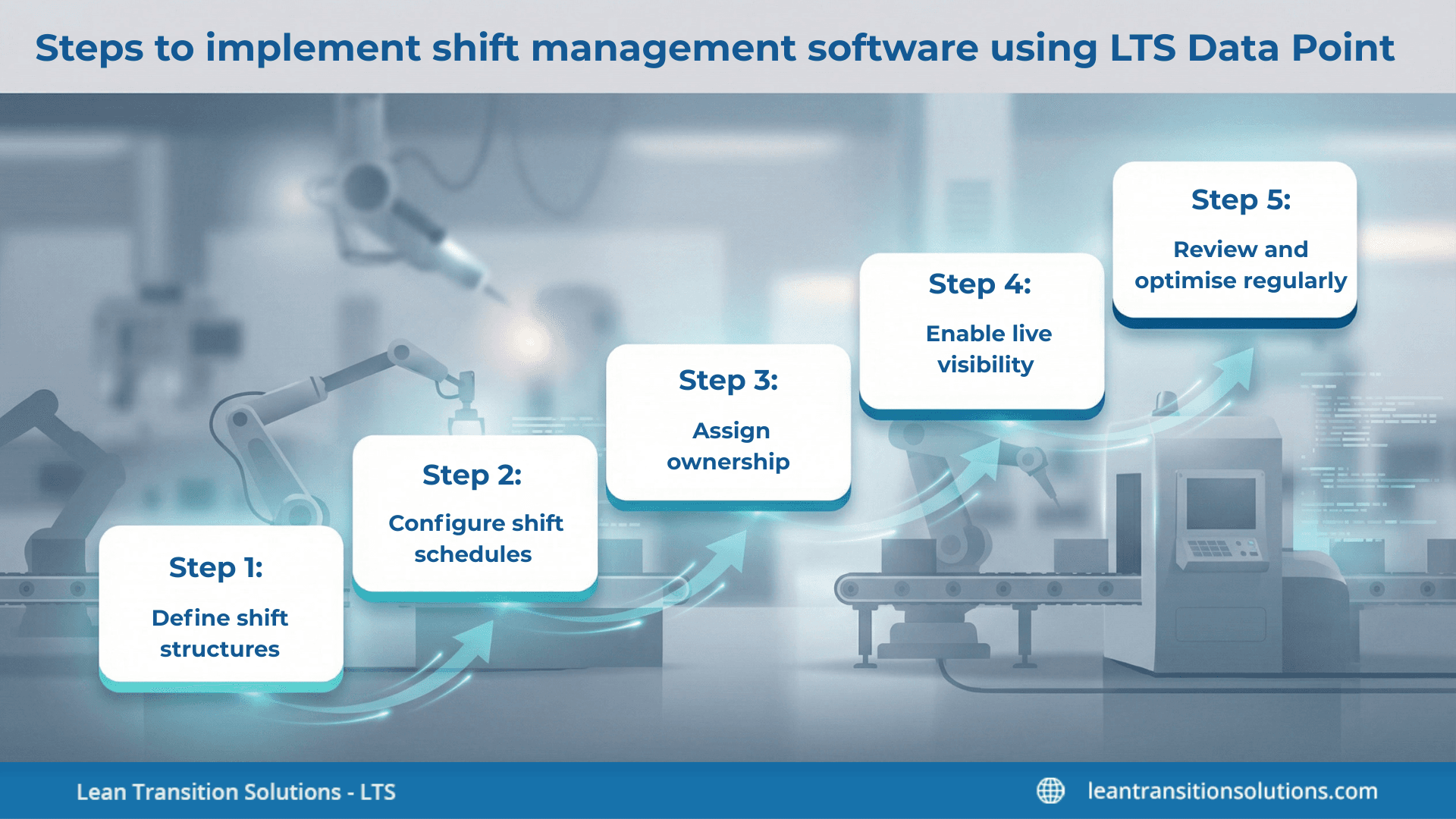
Define shift structures
- Map out shifts according to operational needs, team roles, and responsibilities
- Decide on shift duration, rotation patterns, and coverage requirements
Configure shift schedules
- Set up schedules in LTS Data Point to mirror actual working patterns
- Include planned coverage, skill requirements, and peak demand periods
Assign ownership
- Allocate managers or team leads responsible for each shift
- Ensure accountability at both shift and team levels
Enable live visibility
- Activate dashboards to track active shifts and workforce activity
- Make shift data accessible to managers for quick decision-making
Review and optimise regularly
- Analyse shift data to spot gaps, overlaps, or inefficiencies
- Adjust schedules and planning processes based on insights to upgrade operations
Effective workforce management goes beyond simply creating schedules – it requires visibility, accountability, and alignment with daily operational goals. Shift management software transforms how organisations plan, track, and optimise shifts, helping teams work smarter, reduce errors, and respond quickly to changing demands. With LTS Data Point, businesses gain a unified view of shift execution, staff performance, and operational data, making it easier to maintain consistency, improve productivity, and ensure every shift runs smoothly.
Get expert guidance on using LTS Data Point for structured shift and workforce management.
FAQs
1. What features should you look for in shift management software?
Focus on automation, live visibility, shift templates, reporting, and integrations with workforce and performance data.
2. Can shift management software handle multiple locations or departments?
Yes, modern software supports multi-site operations, enabling consistent scheduling and oversight across teams.
3. How does shift management software improve employee engagement?
By providing clear schedules, transparency, and accountability, employees know what’s expected and can plan their work-life balance better.
4. Is it possible to integrate shift management software with payroll or HR systems?
Many platforms allow integration with HR, payroll, or ERP systems to streamline data flow and reduce manual input errors.
5. Can shift management software help reduce overtime and understaffing?
Yes, by identifying gaps in coverage and optimising schedules, the software reduces reliance on emergency shifts or overtime.
6. How secure is the data in shift management software?
Enterprise-grade solutions provide role-based access, audit trails, and secure cloud storage to protect sensitive workforce information.
7. Can shift management software support compliance with labour laws?
Yes, it can enforce rules for maximum work hours, rest periods, and shift rotations to help maintain legal compliance.
8. How quickly can a company implement shift management software? \
Implementation speed depends on organisational complexity, but platforms like LTS Data Point offer guided setup with step-by-step configuration to minimise disruption.
9. Does shift management software provide reporting and analytics?
Yes, it provides insights on attendance, shift performance, workforce productivity, and coverage gaps for data-driven decision-making.
10. Can shift management software accommodate flexible or rotating shifts?
Absolutely, modern tools handle complex shift patterns, rotations, and exceptions while keeping scheduling structured and visible.

Geandra Queiroz, Operations Management Consultant
Geandra is an Operations Management Consultant at Lean Transition Solutions, specialising in Lean philosophy, Lean Six Sigma, and strategic planning across manufacturing and healthcare. She is currently completing her PhD in Industrial Engineering at the Federal University of São Carlos, researching the integration of Operations Strategy, Lean, and Green Manufacturing.