Mind Map software: A visual system for smarter strategy planning
Get a structured yet flexible way to capture, organise, and refine ideas—turning abstract concepts into actionable plans with advanced Mind Mapping dashboards.
Simplify complex ideas with visual Mind Maps
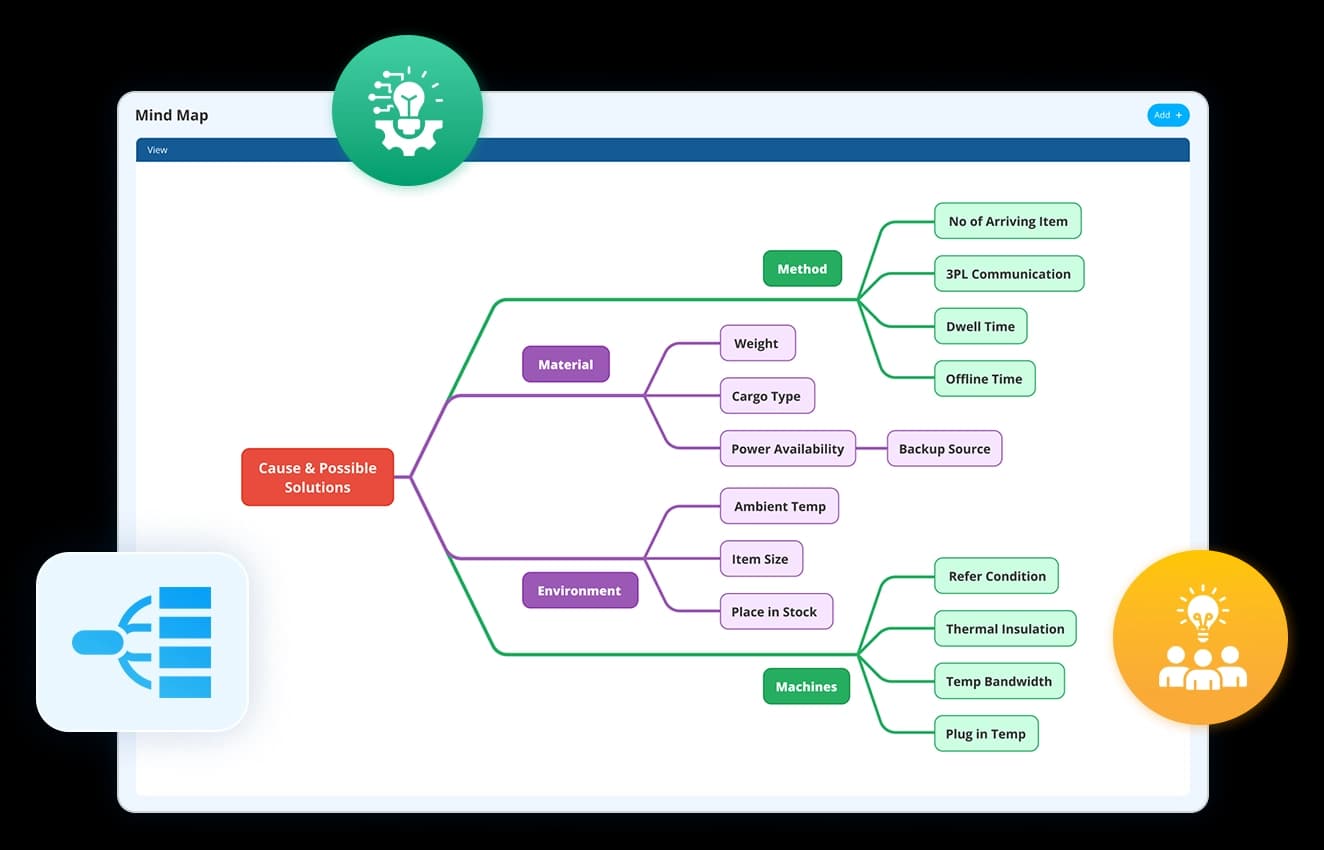
Transform a single thought into a structured visual map. Easily connect, organise, and expand ideas in real time.
- Drag and drop to link related concepts seamlessly
- Build a clear, structured representation of complex ideas
- Expand, refine, and rearrange thoughts effortlessly
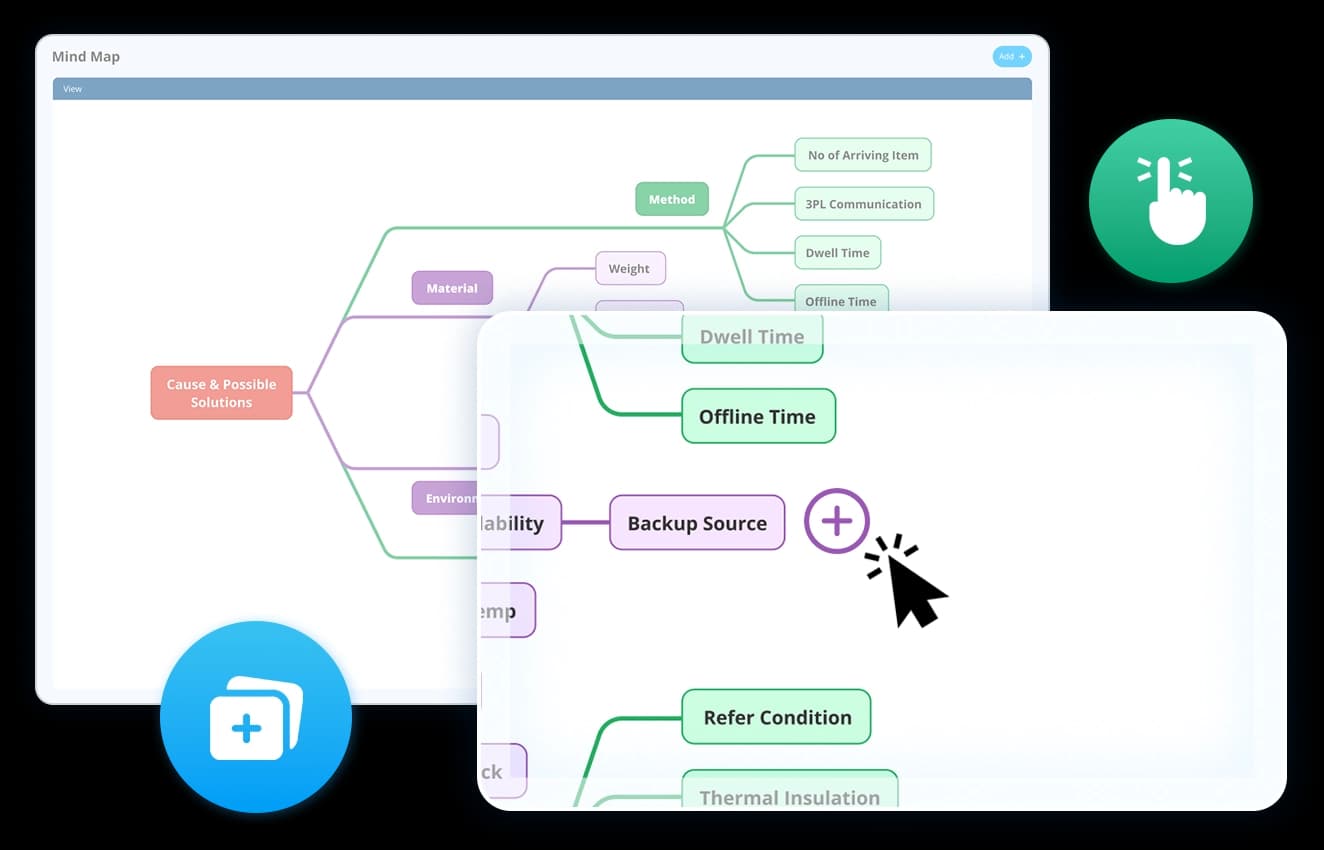

Go beyond linear thinking—identify relationships, dependencies, and key themes for deeper strategic understanding.
- Visualise connections between ideas to reveal patterns
- Highlight dependencies and prioritise key focus areas
- Gain a clearer perspective for informed decision-making
Make smarter decisions by mapping the hidden connections
Transform complex information into structured, easy-to-understand visual diagrams for better clarity and team alignment.
- Organise intricate data into logical, structured maps
- Enhance understanding and knowledge retention across teams
- Ensure clarity in strategy, processes, and decision-making
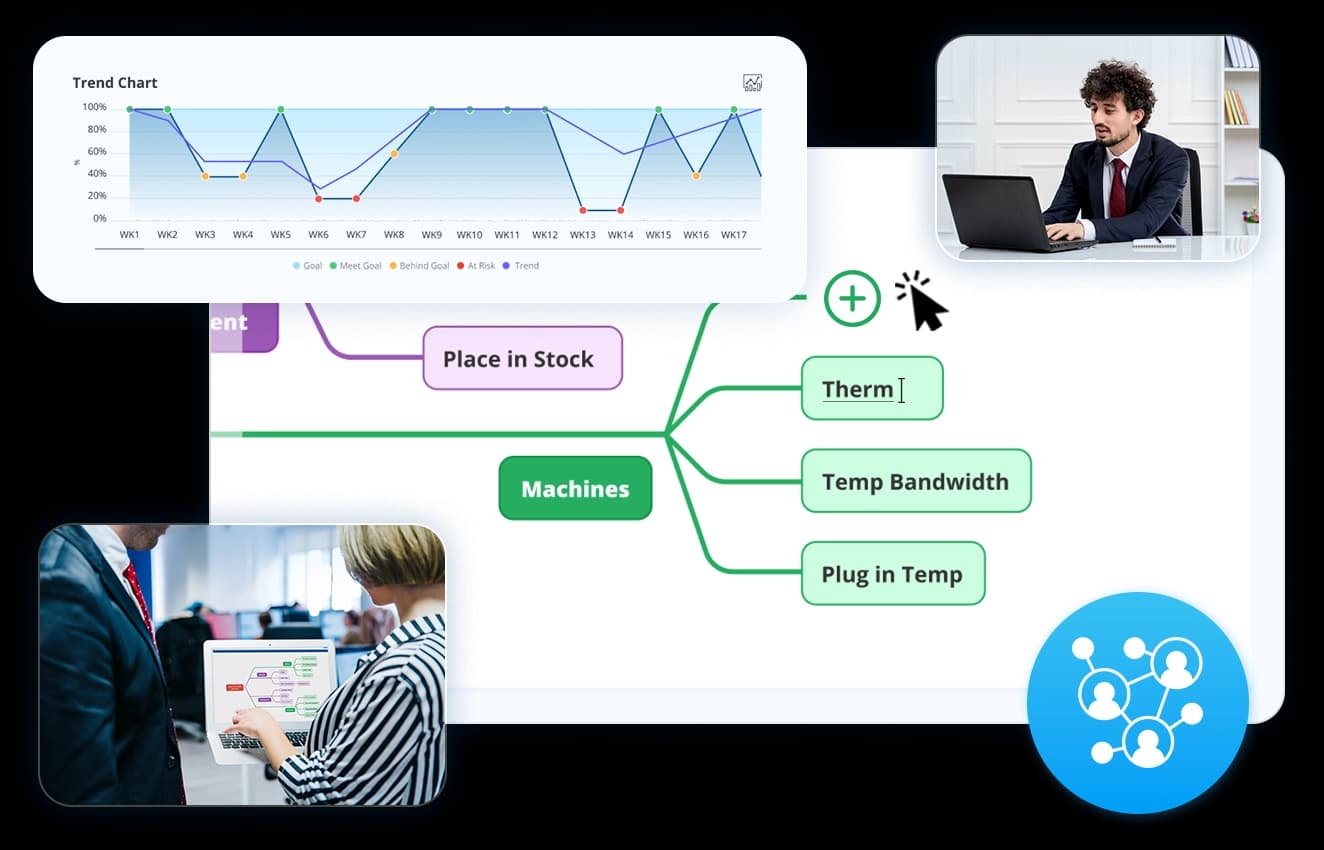
Keep your mind maps organised and always up to date with dynamic adjustments.
- Automatically structure and arrange ideas for clarity
- Track modifications and maintain version history
- Edit in real time with instant updates across teams
Experience mind mapping in action
Choice of industry leaders and Fortune 500 companies


















How does Data Point streamline problem-solving and innovation with Mind Mapping solution?
Data Point mind mapping system visually explores connections with dynamic node adjustments and auto-generated branches, teams can explore solutions faster—anytime, anywhere.

Faster ideation & decision-making
Map out thoughts quickly and spot key takeaways at a glance.

Unstructured ideas? Get instant clarity
Transform brainstorming chaos into structured insights.

From thought to execution—seamlessly
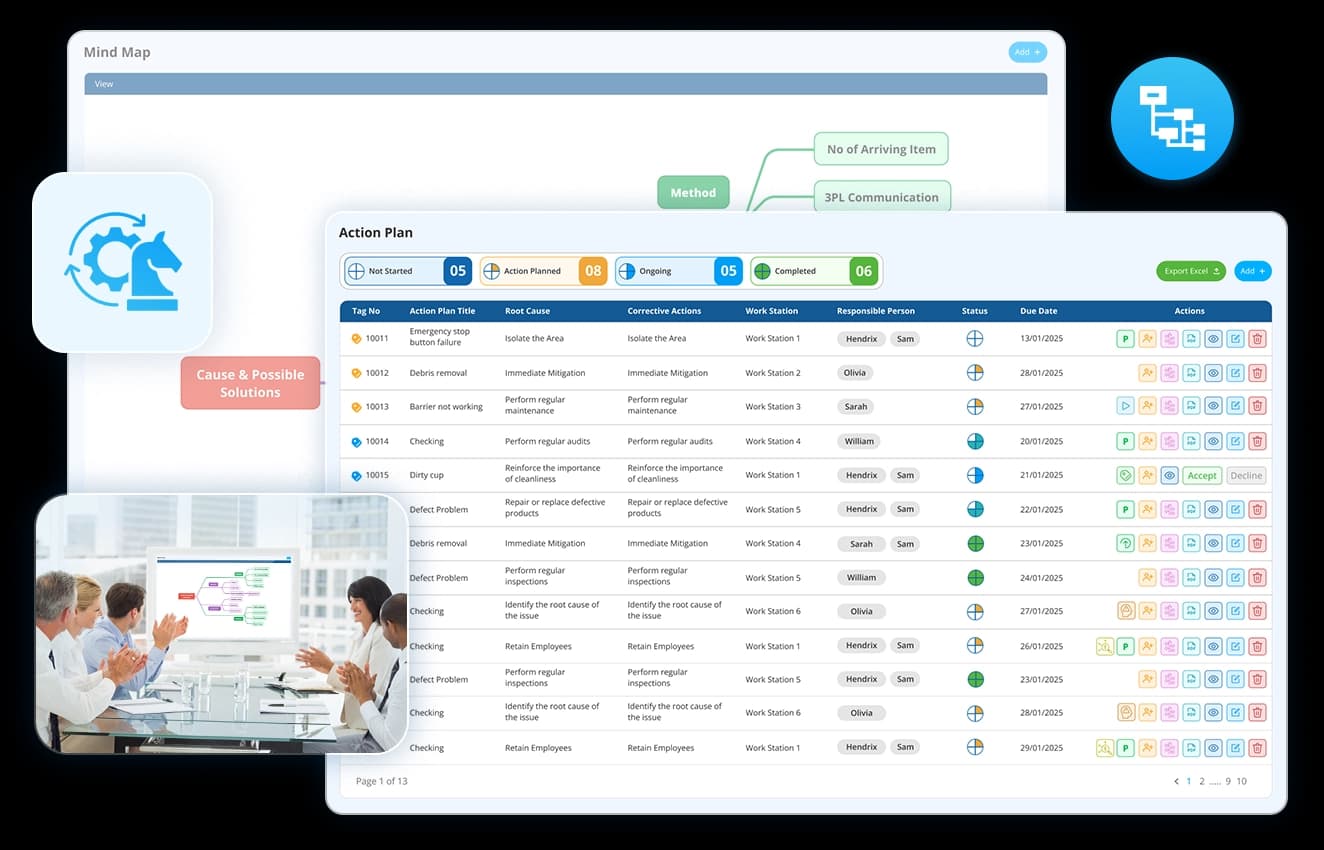
Link mind maps to workflows, assign tasks, and turn plans into reality.
Ready to unlock the power of mind mapping? Visually map your strategies and bring them to life.
Digital Mind Mapping Software: The Complete Guide to Collaborative Planning, Brainstorming and Strategic Thinking
Learn how Digital Mind Mapping software helps teams organise ideas, visualise dependencies, collaborate in real time, track decision history, improve problem-solving, and support strategic planning across departments and locations.
How is mind map different from a flowchart or process diagram, and when should you use one?
A flowchart defines a sequence. Step one leads to step two, step two leads to step three. It works when the process is linear and the order is fixed. A mind map works differently. It starts from a central idea and branches outward in multiple directions simultaneously, with no prescribed sequence. The connections between branches outward in multiple directions simultaneously, with no prescribed sequence. The connections between branches reveal relationships rather than steps.
That distinction matters in practice. When you are mapping a process that is already defined, a flowchart is the right tool. When you are in the early stages of a decision, a problem, or a plan and the structure is not clear, a flowchart forces a sequence before one exists. A mind map lets the thinking happen first and the structure emerge from it. The drag-and-drop linking means branches can be moved and reconnected as understanding develops, without starting over each time the thinking shifts
How does version history in a mind map support decision-making over time?
A mind map built in a single session capture thinking at one point in time. A complex decision or plan rarely resolves in a single session. Priorities shift, new information arrives, and the structure that made sense at the start of a planning cycle may not reflect where the team landed three weeks later.
Version history means the development of that thinking is traceable. You can see what the map looked like at an earlier stage, what changed, and what was added or removed. That record is useful in two situations. First, when a decision is revisited and the team needs to understand what was considered and why the current structure exists. Second, when a new team member needs to get up to speed on how a plan or strategy developed, without relying on a verbal handover that filters and loses detail.
How does a mind map support strategy planning differently from a linear document?
A strategy document presents conclusions. It does not show the reasoning behind them, the alternatives that were considered, or the relationships between different parts of the plan. A new reader gets the output without the context.
A mind map built during strategy planning captures both. The central objective sits at the core. The contributing themes, dependencies, constraints, and priorities branch from it. The relationships between those branches are visible at a glance, which makes it easier to identify where one part of the plan affects another and where gaps exist before the plan is finalised.
For teams running Hoshin Kanri X Matrix or annual planning cycles, a mind map in the early stages is a way to ensure the thinking is structured before it's committed to a format that is harder to revise.
How does a mind map fit into problem-solving on the shopfloor?
Problem-solving tools are most effective when the people closest to the problem can use them directly. A mind map accessible from the same platform as the huddle board means a team leader does not need to move between systems to capture and organise the thinking behind a quality issue or a process gap.
Used at the start of a problem-solving session, a mind map lets the team expand an issue from a single central point, branch out the contributing factors, and identify the connections between them before committing to a structured root cause analysis using tools like the Fishbone Diagram. The two tools are complementary. The mind map organises early thinking. The fishbone structures the investigation once the scope is clear.
How does automated structuring in a digital mind map differ from building one manually?
A physical mind map on a whiteboard has a fixed layout the moment it is drawn. Moving a branch means erasing and redrawing. Adding new level of detail to one branch does not automatically reorganise the rest. The map becomes harder to read as it grows and is effectively frozen once the session ends.
Automated structuring removes the constraint:
- Ideas are arranged for visual clarity automatically as new nodes are added
- Expanding one branch does not push unrelated branches into unreadable positions
- The map stays legible at any size without manual rearrangement
The practical result is that the map can continue to evolve after the initial session. Teams can return to it, add detail, reorganise priorities, and track how thinking has developed over time without rebuilding from scratch.
How does real-time collaborative editing change the quality of a brainstorming session?
A brainstorming where one person captures ideas while others contribute verbally has a structural problem. The person writing decides what gets recorded, how it is worded, and where it sits in the map. Ideas that do not get written down in the moment often do not get revised.
Real-time collaborative editing means every participant can add, link, and reorganise ideas directly as the session runs:
- No single person controls what gets captured
- Connections between ideas from different contributors are visible immediately
- The map reflects the full range of input, not a filtered summary
The version history then preserves the map as it stood at the end of the session, so nothing agreed during the discussion is lost to follow-up email that not everyone receives.
How does mapping dependencies help teams prioritise more effectively?
Most planning exercises produce a list. Lists do not show relationships. An action that appears halfway down a list may need to be completed before several items above it can start. That dependency is invisible in a linear format and only becomes apparent when execution stalls.
A mind map makes dependencies explicit by showing how branches connect. When a team can see that one workstream is a prerequisite for three others, the sequencing decision becomes straightforward. When they can see that two branches are drawing on the same resource, the conflict is visible before it creates a delay.
This is particularly useful during continuous improvement planning, where multiple workstreams run in parallel and the relationship between them determines which improvements can be implemented and in what order.
How does a digital mind map support remote and cross-functional teams differently from physical formats?
A whiteboard mind map is only accessible to the people in the room. For teams spread across departments, shifts, or sites, that is an immediate constraint. The session captures whoever was present. Everyone else receives a photograph or a summary, neither of which conveys the reasoning behind the structure.
A digital mind map removes the location constraint. Team members can contribute, view, and reorganise ideas regardless of where they are. Real-time editing means a remote contributor is not working from a static snapshot. They are working in the live map alongside everyone else.
For cross-functional planning, this also means specialists from different departments can contribute to the branches most relevant to their area without attending a single all-hands session. The map builds from the full range of expertise rather than from whoever was available on a given day.
Hear it from our customers

MARC ROBINSON
Director, Global Operational Excellence


“By providing a central location to input, analyse and share our KPIs, 'Data Point' enables site management to more easily focus on the entire business as a team. Its ability to allow automated data entry and trend analysis gives us more time for improvement rather than just reporting numbers. Combined with a disciplined approach within our SQDC meeting process, I believe 'Data Point' will help us continually focus on key issues and drive business excellence in all areas.”
Start visualising your strategies with Data Point
Whether you are brainstorming, planning, or presenting, Data Point helps you uncover insights, align teams, and turn complex ideas into actionable strategies.