AI Master Production Schedule Software for Manufacturing
Validates every order before it plans. Governs every scheduling decision. Track execution through SICB and feed performance back into the next plan.
Production Scheduling That Does Not Operate in Isolation
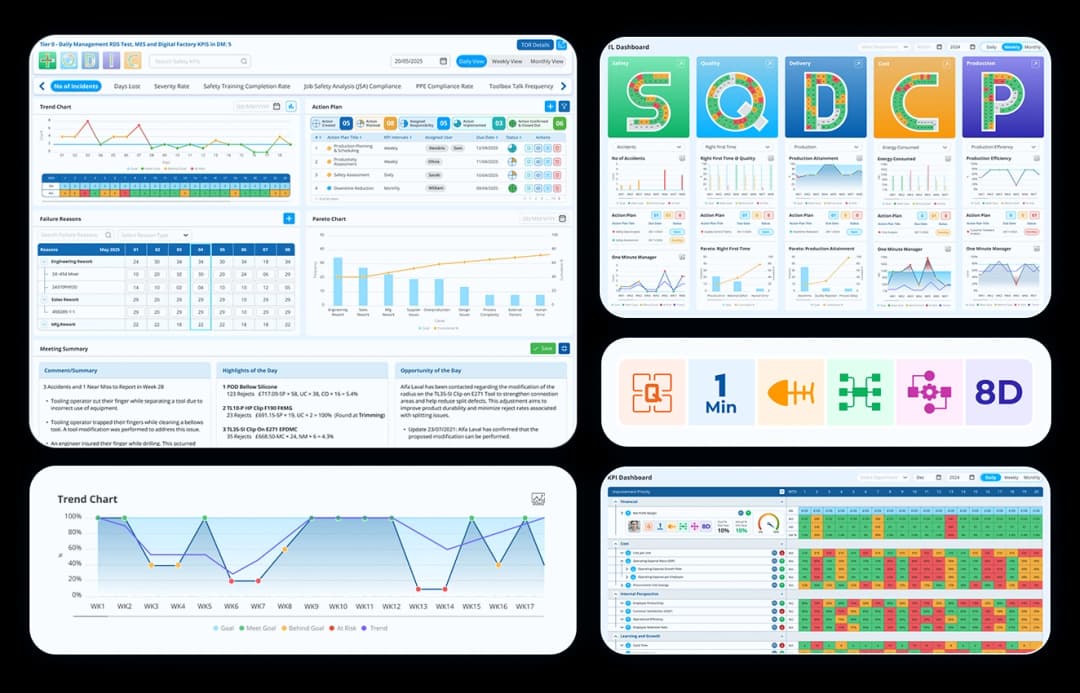
What Data Point AI Master Production Schedule Software Delivers
Plan, resolve, execute and measure in one production scheduling software platform.
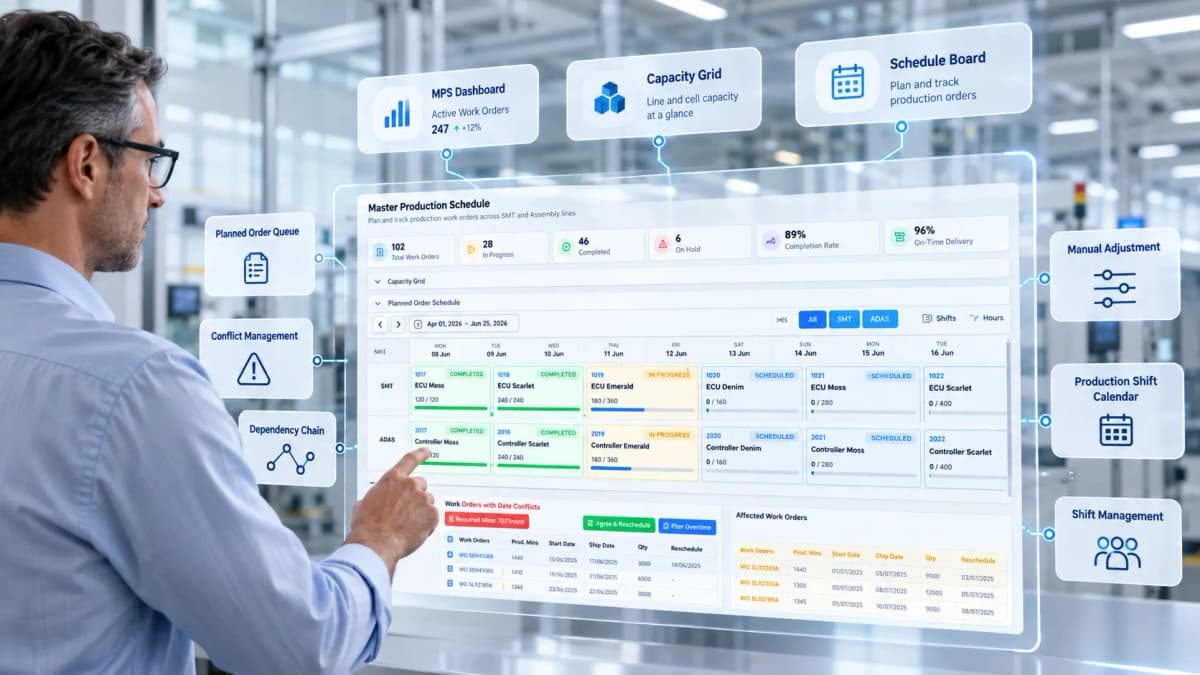
Visual Master Scheduling
Build and adjust a live master production schedule across machines, lines and shifts. Plan against real capacity, material readiness and changing production demand.
- Gantt, Shift and Hourly views with drag-and-drop replanning and order splitting
- OEE-aware finite capacity scheduling with shift calendars, holidays and exceptions
- Live material readiness status for every work order directly on the Gantt
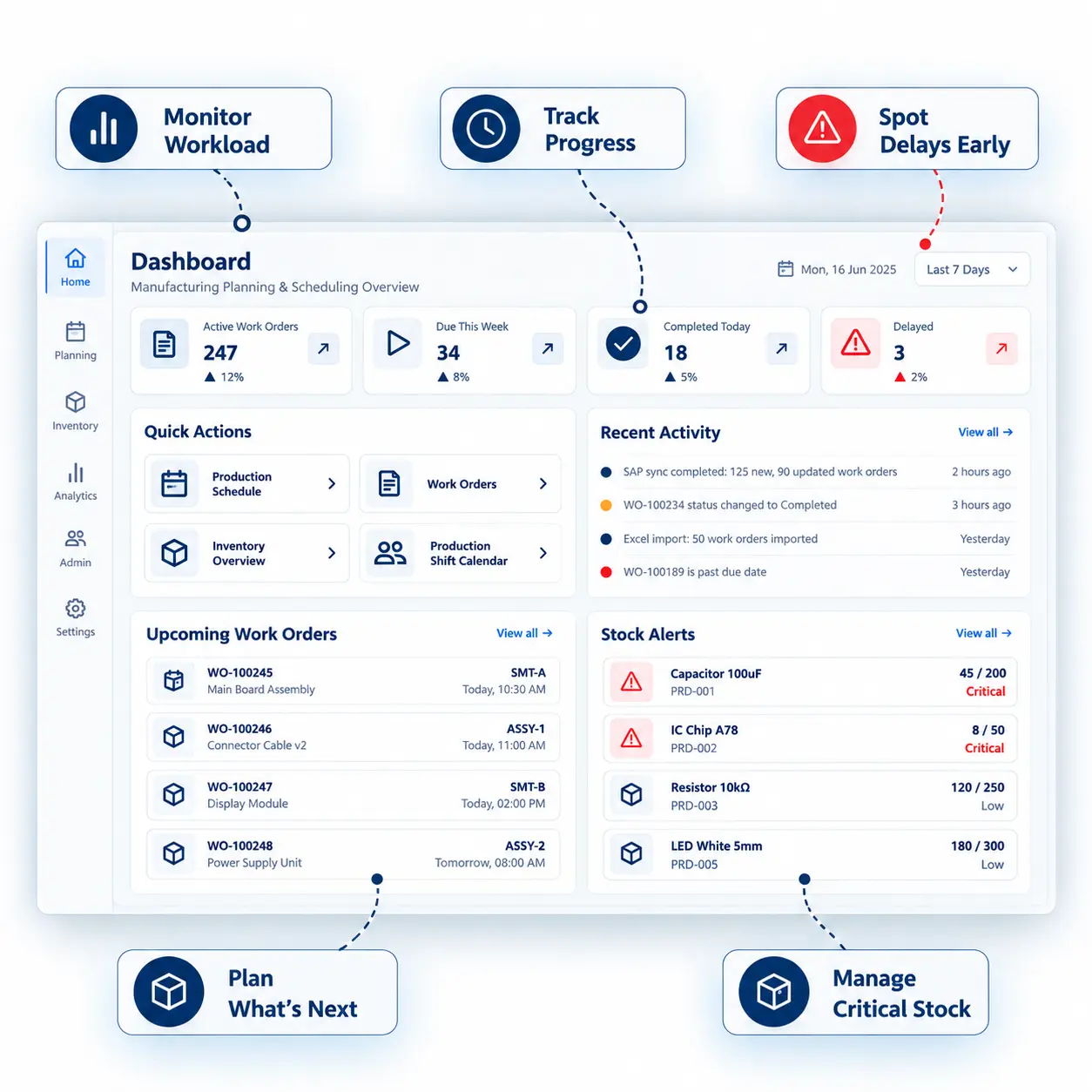
The Measurable Impact of AI-Powered Production Scheduling Software

Reduction in Planning Administration Time

Faster Schedule Conflict Resolution

Improvement in Plan Adherence (Year 1)

Reduction in Manual KPI Compilation

Breakdown Data Capture

Faster Deviation Detection
Traditional Production Scheduling vs AI-Powered MPS: What Is the Difference?
Compare a disconnected planning process with one schedule linked directly to shopfloor execution.
| Today: Disconnected Planning | With Data Point Master Production Schedule Software |
|---|---|
Production orders sit in ERP while planners rebuild the working schedule in spreadsheets and calendars. | One controlled schedule shows every production order, machine and shift in the same view. |
End dates depend on manual calculations and planner knowledge of shifts, holidays and machine capacity. | Shift-aware end dates calculate from working hours, calendars, holidays, machine capacity and OEE. |
Capacity clashes and missing inputs appear after the schedule reaches production. | Data Point flags blockers, overloads and due-date risks before the planner commits the schedule. |
Teams break daily quantities into shift or hourly targets by hand. | SICB generates 1, 2, 4 or 8-hour targets directly from the approved plan. |
Actual versus planned performance is recorded late, often after the shift. | Red/Green status shows each short-interval deviation while the shift is still running. |
Breakdown reasons sit in notes, paper records or operator memory. | SICB records breakdown reason, duration, production phase and machine at source. |
Teams compile production KPIs from several files and systems after the shift. | The KPI engine calculates production metrics from structured shift data and pushes them to the Huddle Board. |
Planners often learn about machine issues after they have already affected the schedule. | Machine-down status appears on the planning calendar, so planners can respond during the shift. |
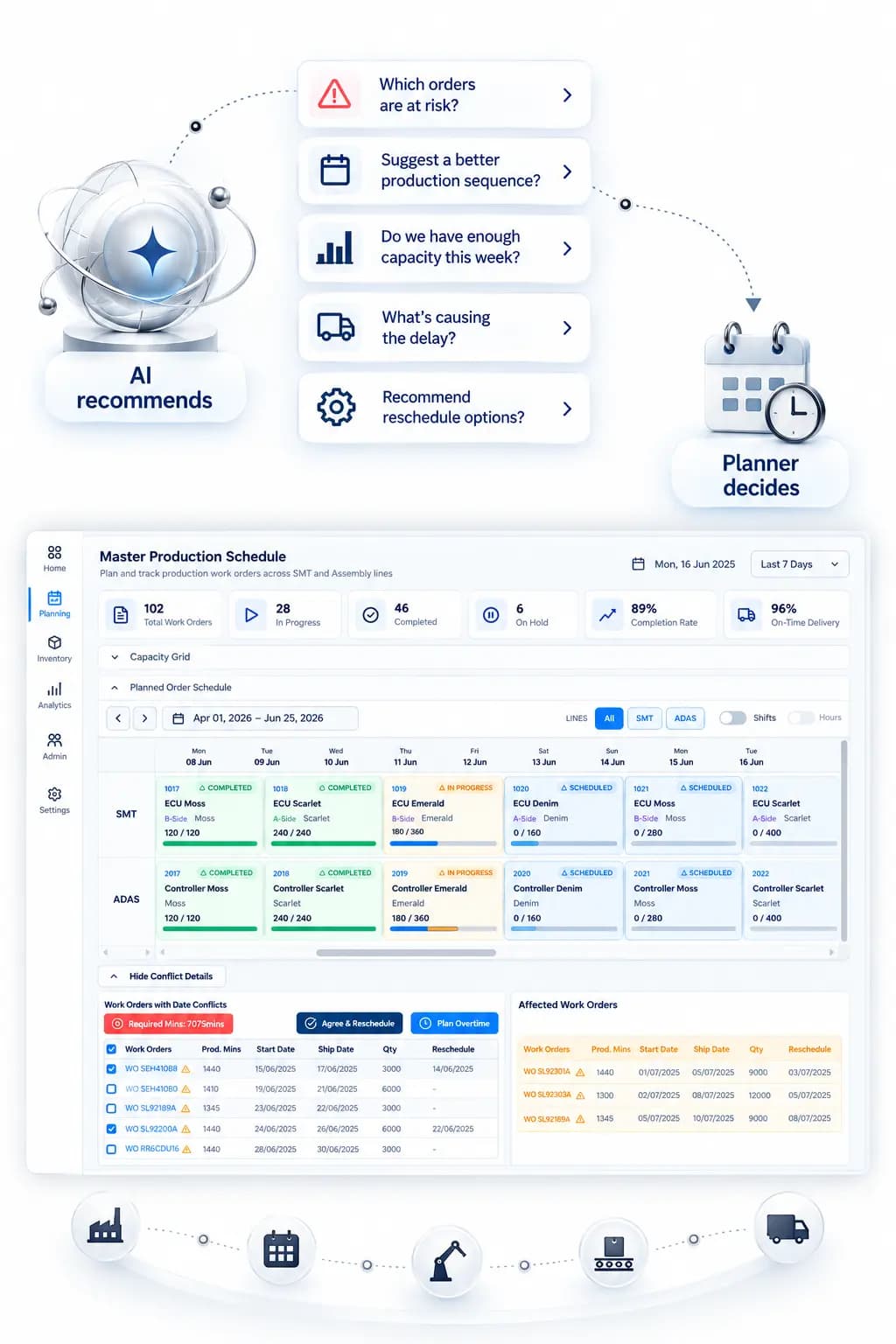
AI Recommends. The Planner Controls the Schedule.
AI supports the scheduling decision; it does not remove planner judgement. Validation, approval and audit controls govern what reaches production.

Locks and Firming
Firmed and locked orders stay fixed. The scheduling engine works around confirmed commitments.

Commit Policy
Commit executable orders. Keep blocked orders visible without releasing them to the shopfloor.

Full Audit Trail
Record who changed the schedule, what changed, when it changed and the outcome.

Optional Auto-Commit
Use auto-commit for approved clean runs while keeping the same governance controls.
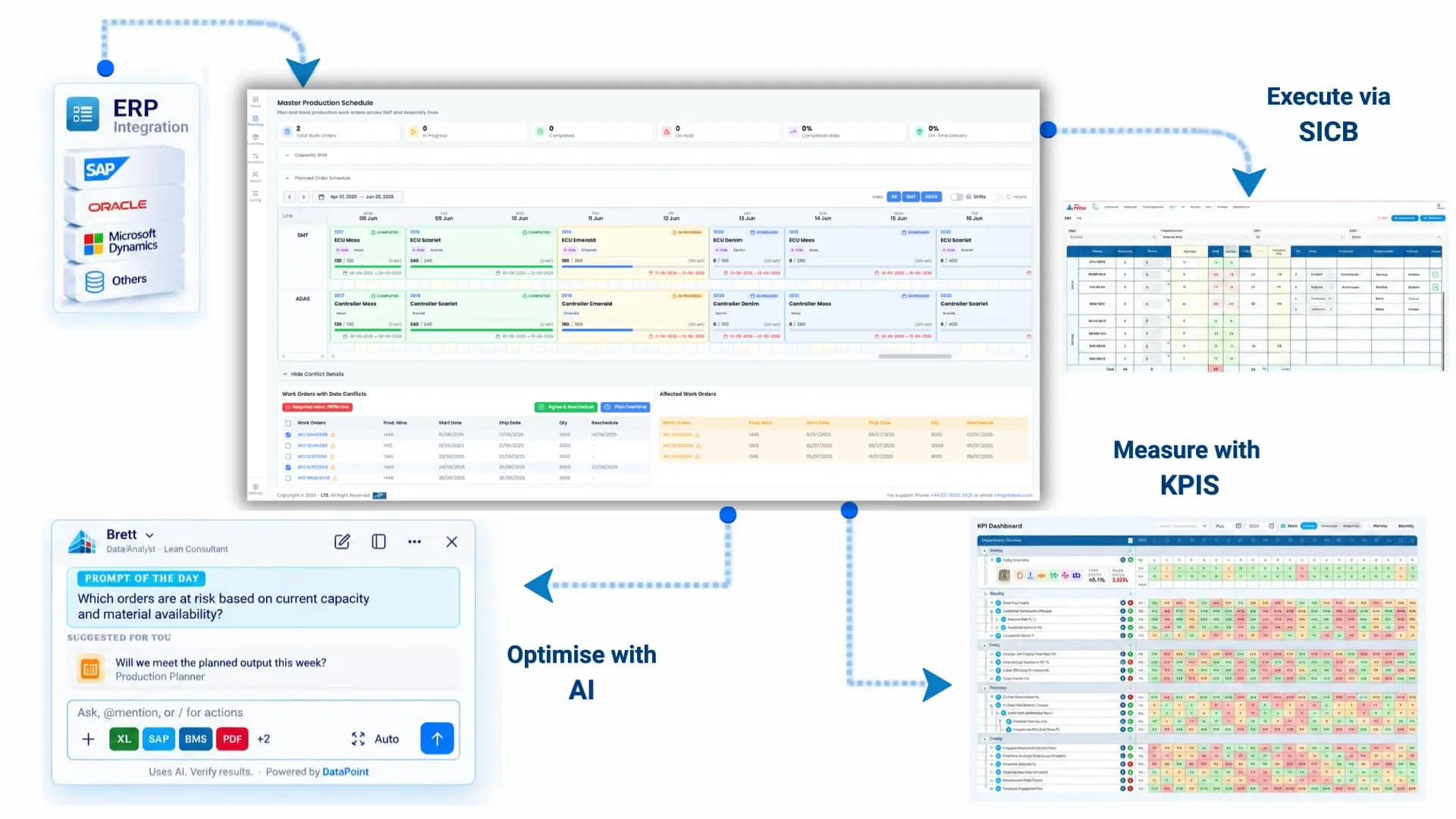
From ERP Orders to a Live MPS Schedule
Data Point MPS brings production orders into one planning flow, checks the data and real capacity, builds an executable schedule, and uses shopfloor results to keep the next plan current.






Bring In & Validate Orders
Import production orders from ERP, CSV or Excel and validate routing, cycle times, work centres and required planning data.
Build a Capacity-Aware Plan
Schedule against shifts, calendars, machine capacity and OEE while identifying overloads, due-date risks and planning conflicts.
Publish the Schedule
Commit executable work to production while keeping protected, blocked or constrained orders controlled and visible.
Replan with Actuals
Feed SICB, production actuals, downtime and OEE back into planning so the schedule stays grounded in shopfloor reality.
Bring In & Validate Orders
Import production orders from ERP, CSV or Excel and validate routing, cycle times, work centres and required planning data.
Build a Capacity-Aware Plan
Schedule against shifts, calendars, machine capacity and OEE while identifying overloads, due-date risks and planning conflicts.
Publish the Schedule
Commit executable work to production while keeping protected, blocked or constrained orders controlled and visible.
Replan with Actuals
Feed SICB, production actuals, downtime and OEE back into planning so the schedule stays grounded in shopfloor reality.
What Manufacturing Leaders Say About Data Point AI Master Scheduling Software

 1/3Testimonial
We spend far less time asking, ‘Are we still on plan?’ because the answer is already visible. Our biggest problem was not creating a production schedule. It was keeping it realistic once the shift started. A breakdown, lower OEE or a priority order could make the spreadsheet obsolete within hours. With Data Point MPS, we can plan against finite capacity and actual OEE, see scheduling conflicts before releasing work, and then use the SICB to compare planned versus actual output throughout the shift. When we miss an interval, the reason is captured there and then.
Production Planning Manager
Automotive Manufacturing
2/3TestimonialWe finally have one daily view that operations, quality and leadership can work from. Before, production performance was spread across different reports and updated at different times. By the time the daily meeting started, we were often discussing yesterday rather than managing today. Data Point brings our production KPIs into the SQDCP/Huddle Board, with structured shopfloor data feeding the KPI Engine automatically. We can see schedule adherence, OEE and performance trends together
Site Operations Manager
Pharmaceutical Manufacturing
3/3TestimonialWe have different products, cycle times, shift patterns and machine constraints, so one change can affect several orders. Previously, planners had to work through spreadsheets to understand what could realistically be produced and when. Now the master production schedule software checks capacity, working hours, shifts, holidays, material readiness and scheduling conflicts before the plan is committed. Our ERP still provides the orders, but Data Point gives the planning team a visual schedule they can actually manage.
Head of Operations
Industrial Manufacturing
Move from Spreadsheets to Live Production Scheduling
Book a demoOne Production Schedule, Different Operational Decisions
Production Planner
Build and adjust the daily schedule with validation, visual planning and AI-supported conflict resolution.
Learn More →Operations Manager
See capacity pressure, at-risk orders and current execution across lines before the next review.
Learn More →Shift Supervisor
Run hourly targets from the approved plan. Track actual versus planned and record failure reasons at source.
Learn More →COO / VP Operations
Review schedule and production performance across sites without waiting for local spreadsheets or reports.
Learn More →CI Lead
Use structured schedule, downtime and attainment data to prioritise improvement with evidence.
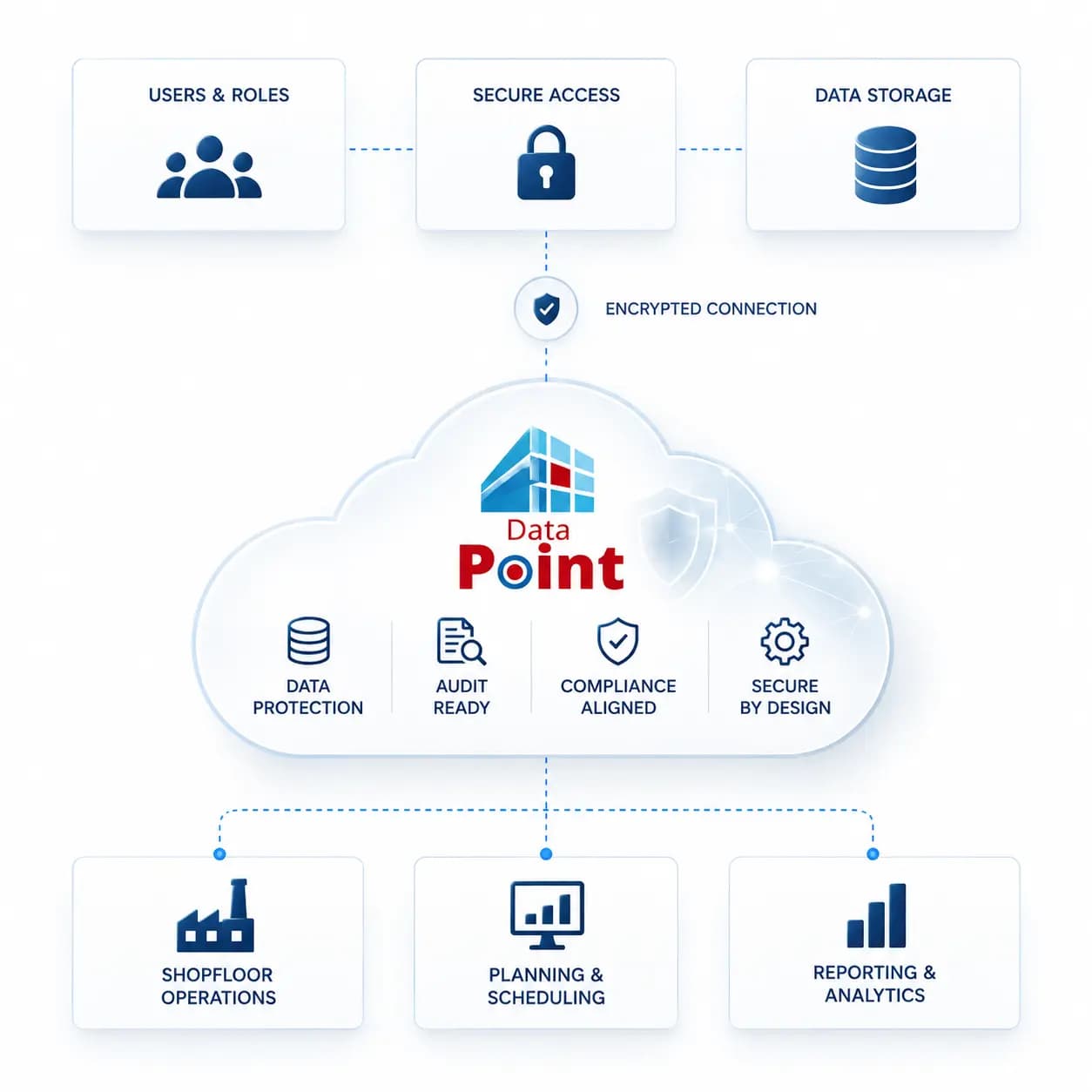
Learn More →Enterprise Security for Production Planning Data
Everything you need to deploy Data Point in a regulated pharmaceutical manufacturing environment.
- Guided onboarding with dedicated LTS programme management
- Bespoke SQDCP / SQODCPI framework and tier board configuration
- System integration setup: ERP, LIMS, MES, and manual data inputs
- Role-based training for shift leaders, QA, and site management
- Adoption support across lines, departments, and sites
Hear it from our customers

MARC ROBINSON
Director, Global Operational Excellence


“By providing a central location to input, analyse and share our KPIs, 'Data Point' enables site management to more easily focus on the entire business as a team. Its ability to allow automated data entry and trend analysis gives us more time for improvement rather than just reporting numbers. Combined with a disciplined approach within our SQDC meeting process, I believe 'Data Point' will help us continually focus on key issues and drive business excellence in all areas.”
Plan Production Around What You Can Actually Deliver
Fill out the form to see how Data Point MPS connects ERP orders, real capacity, OEE and shopfloor performance in one live production schedule, helping your team spot risks earlier and keep execution on plan.