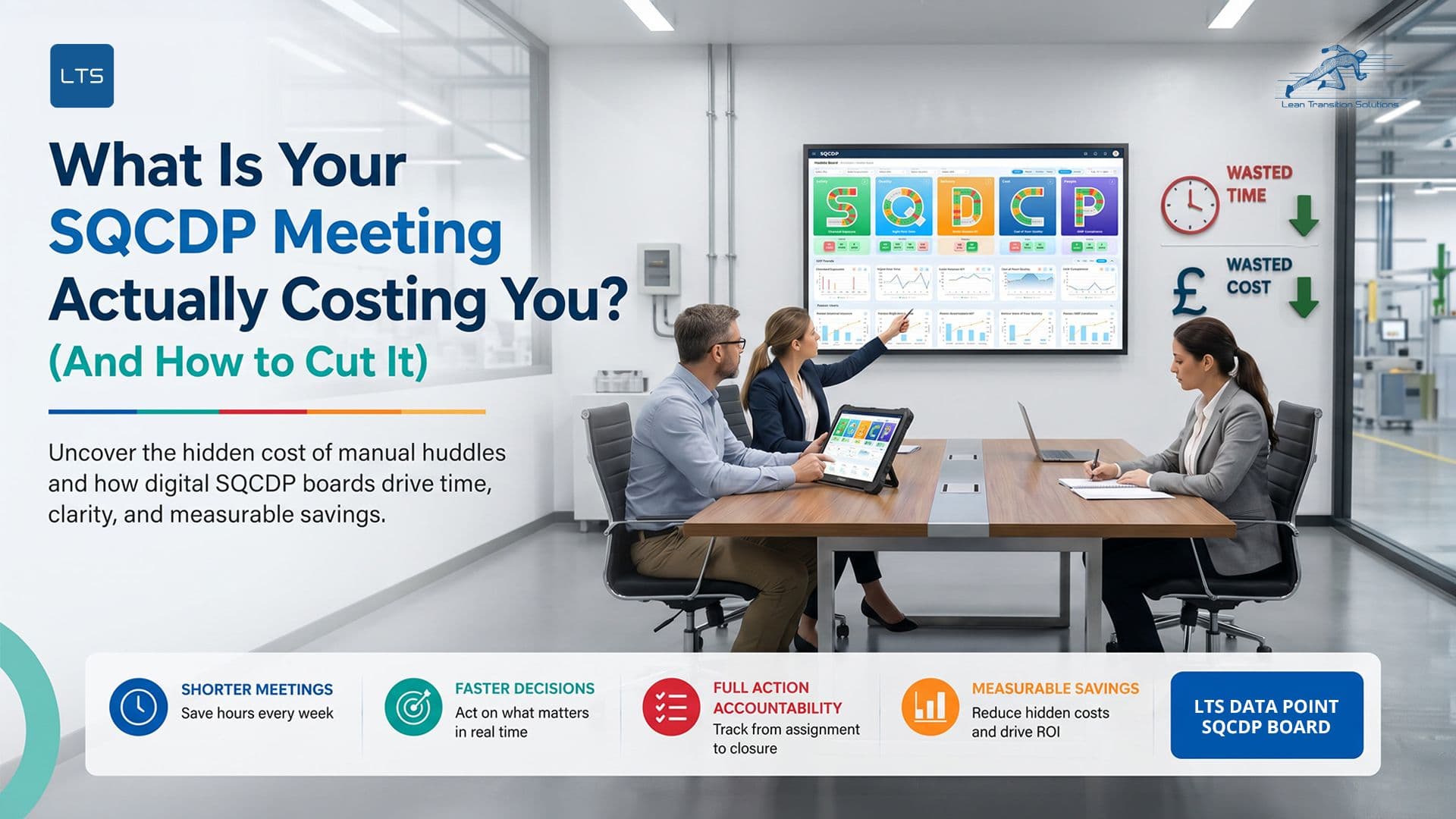
What is Your SQCDP Meeting Actually Costing You? (And How to Cut it)
Last updated on : May 12, 2026
Your SQCDP meeting is supposed to take 15 minutes. For many manufacturing teams, it takes 45 minutes. Sometimes longer.
That gap is not just frustrating. It has a price tag. And most operations leaders have never actually calculated it.
This blog will help you do that. We will look at where the cost comes from, what it adds up to across a year, and what changes when you move to a digital huddle board.
First: What Is an SQCDP Meeting?
An SQCDP meeting is a short, structured daily huddle where teams review performance across five areas: Safety, Quality, Cost, Delivery, and People. It is designed to be fast. The goal is to spot what is red, name an owner, assign an action, and move on. It is conducting for a proper Lean daily management process.
Done well, it is one of the most powerful habits in lean manufacturing. Done poorly, it becomes one of the most expensive ones.
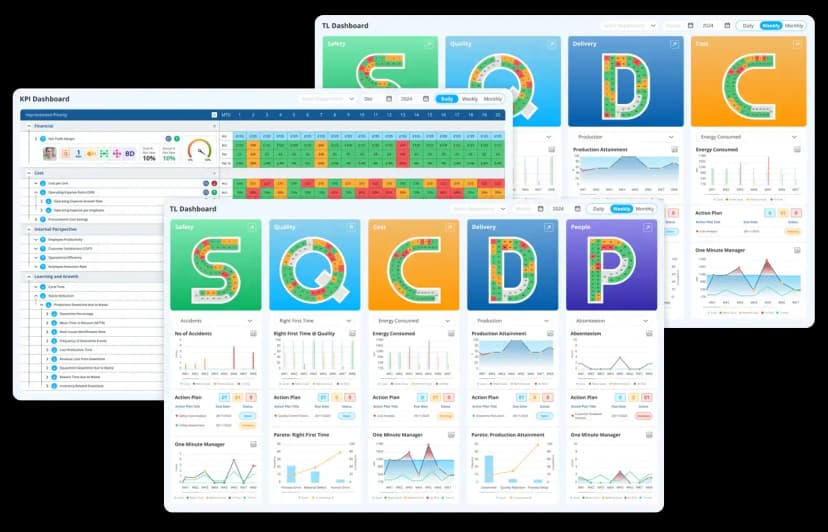
Explore the LTS Data Point SQCDP Dashboard to streamline meetings, improve visibility, and accelerate ROI-driven performance.
Where the Huddle Meeting Cost Comes From
Most teams do not think of their SQCDP lean daily management meeting as a cost centre. But every person in that room has a salary. Every minute of overrun has a value.
Here is where time and money quietly disappear in a typical SQCDP meeting:
- Someone is late because the data is not ready
- The numbers are pulled from a spreadsheet that was last updated yesterday
- A metric is questioned and the team debates whether it is accurate
- An action from last week comes up again because no one tracked it
- The meeting ends without clear owners or due dates
None of these problems are about the people in the room. They are about the system underneath the meeting.
What Does an Overrunning Daily Management Meeting Cost a UK Team?
Let us make this specific.
Example 1: The Daily Tier 2 Huddle
And that is one team. One tier. One site.
Example 2: The Monthly Leadership Review
This does not include the time someone spent building the PowerPoint to present data that a live dashboard would have already shown.
How Much Are US Manufacturing Plants Spending on Inefficient Daily Huddles?
For US-based manufacturing operations, the picture looks similar.
For a mid-size US plant running three shifts with separate daily huddles per tier, the annual total can easily exceed $200,000 in wasted meeting time alone.
But It Is Not Just About Huddle Meeting Time. What Else Are You Losing with Inefficient SQCDP meeting?
Meeting overrun is the visible cost. Most of the real cost is hidden.
Labour waste:
- Operators and supervisors spending 20 to 30 minutes before every SQCDP meeting updating spreadsheets manually
- Managers re-entering the same data across multiple files for different tiers
Process waste:
- Actions raised in Tuesday's SQCDP meeting report that nobody can trace by Friday
- Problems escalated late because the board was not updated between meetings
- Decisions delayed because real-time data was not available
Intellectual loss:
- Experienced team members spending mental energy recalling what was discussed last week instead of focusing on what needs to happen today
- Institutional knowledge locked inside one person's Excel file
- No searchable record of what was tried, what worked, and what did not
Quality and delivery impact:
- A defect spotted at Tier 1 that never reaches Tier 2 because escalation is manual
- A delivery risk sitting on a whiteboard in a corridor that no one at leadership level can see
These are not soft costs. They have real consequences in scrap rates, customer complaints, and missed targets.
Running Your Daily Huddle on Excel Cost More Than You Think
Many teams run their SQCDP meeting from an Excel spreadsheet or a physical whiteboard. The argument for keeping it is simple: it costs nothing.
That argument falls apart quickly when you look at the full picture.
SQCDP Excel template vs SQCDP real-time dashboard
The spreadsheet looks free. But when you add up the labour to maintain it, the meetings that overrun because it is incomplete, the actions that fall through the gaps, and the decisions that are made on outdated data, the true cost is far higher than a structured digital system. For more insights, explore: why-manual-boards-can't-keep-up-with-real-time-production-metrics.
Excel keeps the data. It cannot drive the action.
Ready to see what a digital SQCDP meeting looks like in practice?
How to cut your SQCDP Meeting Cost: Practical Solutions
Set a hard time limit and stick to it
- Fix the meeting at 15 minutes maximum
- Use a visible timer in the room
- If a topic needs more than 2 minutes, park it and schedule separately
Separate data review from decision making
- Data should be visible before the meeting starts; not during it
- Never use SQCDP meeting time to update numbers
- Assign one person to own data readiness before every huddle
Fix your action tracking process
- Every action needs a named owner, a due date, and a status
- Review open actions at the start of every SQCDP meeting; not the end
- If an action has no owner, it does not exist
Standardise your agenda across all tiers
- Tier 1, Tier 2, and Tier 3 should follow the same structure
- Consistency reduces prep time and removes confusion
- Use a fixed template so no one improvises the meeting format
Reduce manual data entry at every stage
- Identify which KPIs are being entered manually more than once
- Consolidate data sources so the same number is not living in three places
- Even a simple shared live sheet reduces duplication before you go fully digital
Move to a digital SQCDP board
- Eliminates manual prep, duplicate entry, and lost actions in one step
- Connects Tier 1 data directly to Tier 2 and Tier 3 visibility
- Actions are tracked, escalated, and closed inside the system automatically
What Actually Changes When Your SQCDP Meeting Runs on a Digital Huddle Board?
When your SQCDP meeting runs on a connected digital platform, three things change immediately.
- Before the meeting: Data is already live. There is nothing to compile and nothing to argue about. The board shows exactly what happened on the shopfloor, updated in real time.
- During the meeting: The team scans status, not slides. Red conditions are visible at a glance. An action gets assigned in the system in under 60 seconds: owner named, due date set, escalation flagged if needed.
- After the meeting: Nothing gets lost. Every action is tracked. The next SQCDP meeting opens with a live view of what was closed and what is still open. No one asks "what happened to that action from Tuesday?" The board already knows.
Lear how to drive continues improvement with SQCDP visual management boards.
How Much Could Your Team Save with Digital SQCDP meeting? ROI at a Glance
Use this to estimate your own annual saving:
(Actual meeting time - Intended meeting time) x Number of attendees x Hourly cost x Meetings per year = Annual cost of meeting waste
These figures cover meeting time only. They exclude data prep time, lost actions, delayed escalations, and the downstream quality and delivery impact of decisions made on incomplete information.
Want to calculate your specific saving?
Try the Data Point ROI calculator or speak to our team for a tailored estimate3 Steps to Cut Time, Cost, and Waste from Your SQCDP Meeting
The fix does not require a full system overhaul. Most teams are live with a digital SQCDP board within weeks. Look at the example of how LTS Data Point Daily management boards (whether it is SQCDP/SQDCM/SQDIP). It connects shopfloor data to your daily huddle board, tracks every action from assignment to closure, and gives Tier 2 and Tier 3 leader meetings live visibility without waiting for a report.
Your SQCDP meeting stays at 15 minutes. The data stays accurate. The actions get done.
Here is how it works in practice:
Set up your digital SQCDP huddle board
- Configure your five pillars: Safety, Quality, Cost, Delivery, People
- Set KPIs aligned to your site, department, and shift
- Assign owners to each metric from day one
Connect your existing data sources
- Start with manual entry; no integration needed to go live
- Connect to your ERP (SAP, Oracle, Infor, Epicor) when ready
- Pull live data from MES, QMS, or production systems
- Every data source feeds the same board; no more parallel spreadsheets
Run your first live SQCDP meeting
- The board is already updated before anyone enters the room
- Red conditions are visible in seconds
- Actions are assigned with an owner and due date inside the meeting
- Escalations are flagged automatically to the next tier
Your SQCDP Meeting Is Either an Asset or a Cost. You Decide.
Every manufacturing team runs a daily SQCDP meeting. Not every team gets value from it.
The difference is not the people. It is the system they use to prepare, run, and follow up on it.
When that system is a spreadsheet or a whiteboard, the meeting carries a hidden cost: in labour, in lost actions, in delayed decisions, and in problems that escalate because no one caught them in time.
When that system is a connected digital board, the meeting becomes what it was always designed to be: fast, structured, and genuinely useful.
The numbers in this blog are not projections. They come from real teams, real meeting rooms, and a real customer who saved over £151,000 in a single year from meeting time alone.
Your number will be different. But it will not be zero.
For more details read our guide on- How to use an SQCDP software.
Ready to find out what your SQCDP meeting is actually costing you?
Talk to the Data Point team. We will show you exactly how a digital lean daily management system works, what it takes to go live, and what your operation could save.FAQs
1. What does SQCDP stand for in a daily meeting?
SQCDP stands for Safety, Quality, Cost, Delivery, and People. In a daily SQCDP meeting, teams review performance across each of these five areas to identify problems, assign actions, and track progress. Some organisations use SQDCP, where the order of Cost and Delivery is reversed. Both refer to the same framework.
2. How long should an SQCDP meeting last?
A well-structured SQCDP meeting should run between 10 and 20 minutes. If your meeting consistently runs longer, the most common causes are: data not being ready before the meeting starts, no clear agenda or time discipline, and actions from previous meetings not being tracked in a central system.
3. Why do SQCDP meetings go over time?
The most common reason is that the meeting is being used to compile data instead of review it. When teams spend the first 20 minutes of an SQCDP meeting updating a spreadsheet or debating whether a figure is correct, the meeting has already failed its purpose. Digital huddle boards solve this by making data live and visible before anyone enters the room.
4. Is Excel good enough for running SQCDP meetings?
Excel can hold the data, but it cannot drive the actions that come out of the meeting. Actions assigned verbally or noted in a spreadsheet are frequently lost between sessions. There is no automated escalation, no owner notification, and no connection between Tier 1 and Tier 2 meetings. For small teams running one huddle a day, Excel may be a starting point. For any operation running multiple tiers or multiple sites, it creates more fragmentation than it solves.
5. What is the difference between a physical SQCDP board and a digital one?
A physical SQCDP board is typically a whiteboard or printed display updated manually before each meeting. It is visible only to the team in front of it and has no memory beyond what someone writes on it. A digital SQCDP board is updated in real time, accessible from any location, connected across tiers, and maintains a full audit trail of metrics, actions, owners, and outcomes.
6. How much does a digital SQCDP board cost?
Setup costs vary depending on the size of the deployment and the level of configuration required. Data Point's Foundation Setup starts from £1,000 / approx. $1,250, covering a single-site deployment with full configuration, training, and go-live support. Enhanced Setup, which includes extended configuration and wider team training, ranges from £3,500 to £5,000.
7. How quickly can we go live with a digital SQCDP meeting system?
With a Foundation Setup, most teams are live within a few weeks. The system works from day one on manual data entry alone; integrations with ERP, MES, or other systems are additive and can be added later.
8. Can a digital SQCDP board connect to our existing ERP or MES systems?
Yes. Data Point connects to SAP, Oracle, Infor, Epicor, MES, and other systems. However, integration is not a prerequisite to go live. Many teams start with manual entry and add automated data sources as they scale.

Amer Jumah, Senior Lean Consultant
Amer is co-founder of Agile Solutions and a certified Six Sigma Black Belt, Lean Black Belt, and PMP, with over nine years of experience implementing Lean, Six Sigma, and Agile principles across diverse industries. He specialises in process optimisation, waste elimination, and delivering cost savings through organisational change.